


In the complex landscape of software architecture, standard modeling notations often fall short when addressing domain-specific nuances. This is where the UML Profile Diagram becomes an essential tool for extending the Unified Modeling Language without altering its core semantics. By defining custom stereotypes, tags, and constraints, architects can tailor the modeling language to fit specific industries or technologies. This guide provides a deep dive into creating and maintaining these extensions effectively. We will explore the mechanics of profile application, the structure of metamodels, and practical strategies for ensuring your diagrams remain clear and maintainable.
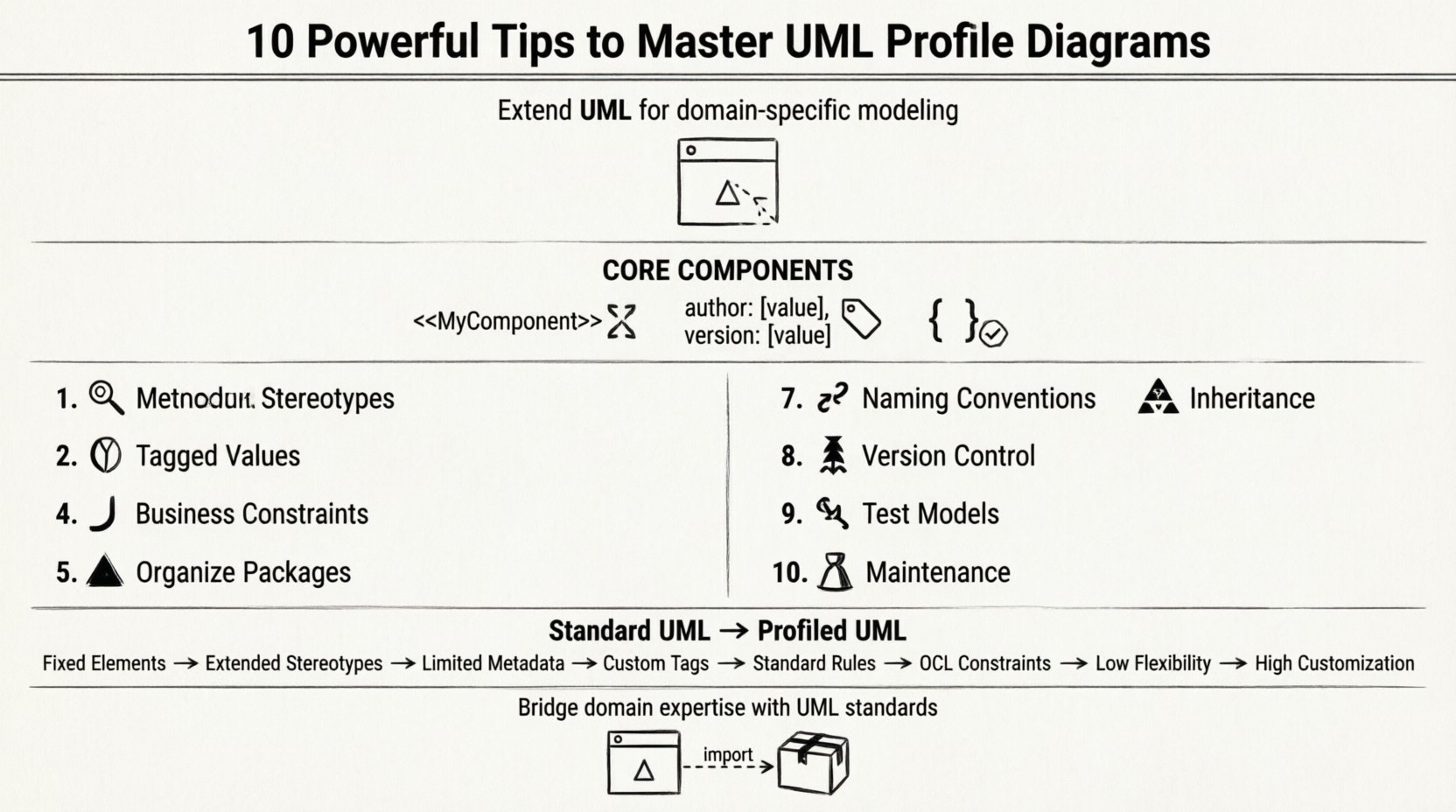
Understanding the Foundation of UML Profiles 🧱
A UML Profile is a mechanism for customizing the UML metamodel. It allows you to extend the language to suit a particular domain, such as embedded systems, aerospace engineering, or financial services. Unlike a standard package, a profile contains specific elements that modify how other UML elements behave or are interpreted. The core components include stereotypes, tagged values, and constraints.
- Stereotypes: These act as templates for new types of classifiers. They are denoted by guillemets (e.g., <<MyComponent>>).
- Tagged Values: These are properties attached to elements that store additional metadata (e.g., author, version, complexity).
- Constraints: These define rules or conditions that must be satisfied by the model elements (e.g., OCL expressions).
When you apply a profile to a model, you are essentially registering these extensions within the context of that model. This process does not change the underlying UML specification but adds a layer of semantic meaning that is understood by the modeling environment. Understanding this distinction is critical for avoiding confusion between standard UML elements and their profiled counterparts.
10 Strategic Tips for Effective Profile Development 🚀
1. Establish a Clear Metamodel Foundation 🔬
Before drawing a single stereotype, you must understand the metamodel. A profile extends a specific metaclass. For instance, if you want to extend the Class metaclass, you must know the attributes and operations available to it. Confusing the metaclass with the instance class leads to structural errors.
- Identify the base metaclass you intend to extend (e.g., Class, Component, Actor).
- Review the inheritance hierarchy of the metaclass to understand inherited properties.
- Ensure the extension point is compatible with the target element type.
2. Define Stereotypes with Precision 🎯
Stereotypes are the most visible part of a profile. They should be descriptive and consistent. Avoid vague names like <<Thing>> or <<Element>>. Instead, use domain-specific terminology that conveys immediate meaning.
- Use single-word names where possible to reduce cognitive load.
- Ensure the name does not conflict with existing UML reserved words.
- Group related stereotypes logically to maintain clarity.
3. Utilize Tagged Values for Metadata 💾
Tagged values allow you to attach specific data points to your model elements. This is crucial for tracking information that standard UML does not support, such as regulatory compliance flags or hardware dependencies.
- Define the data type for each tag (String, Integer, Boolean).
- Set default values to guide users when creating new instances.
- Document the purpose of each tag to prevent misuse.
4. Apply Constraints for Business Rules 📜
Constraints enforce the logic of your system within the model. They can be written in Object Constraint Language (OCL) or described in natural language. This ensures that the model adheres to real-world rules before implementation begins.
- Use OCL for precise, executable logic.
- Group related constraints within the profile package.
- Test constraints against sample models to verify validity.
5. Organize Profile Packages Systematically 📁
As profiles grow, they can become unwieldy. Organizing them into logical packages helps manage complexity. A well-structured package hierarchy makes it easier to find and apply specific extensions.
- Separate technical extensions from domain-specific extensions.
- Use namespaces to avoid naming conflicts between different profiles.
- Keep the root profile package minimal and focused.
6. Leverage Inheritance and Specialization 🌳
UML profiles support inheritance. You can create a base profile and extend it with specialized profiles. This reduces redundancy and ensures consistency across different modeling contexts.
- Create a base profile for common extensions.
- Derive specialized profiles for specific sub-domains.
- Ensure child profiles inherit all parent constraints and tags.
7. Maintain Strict Naming Conventions 📝
Consistency is key to readability. Adopt a naming convention for all elements within the profile. This includes stereotypes, tags, and constraint names. A uniform style helps team members quickly understand the intent of each element.
- Use camelCase for internal identifiers.
- Use title case for display names.
- Prefix tags with a domain indicator if necessary.
8. Implement Version Control for Profiles 🔄
Profiles evolve over time. Changes in business requirements or technology standards may necessitate updates to the profile. Treating profiles as code with version control ensures traceability and rollback capabilities.
- Assign version numbers to profile definitions.
- Document changes in a release log.
- Ensure backward compatibility where possible.
9. Test Profiles with Real Model Instances 🧪
A profile is theoretical until applied to a real model. Testing ensures that the stereotypes, tags, and constraints function as intended. This step validates the usability of the profile in practical scenarios.
- Create sample models to exercise all profile features.
- Check for validation errors when applying profiles.
- Gather feedback from modelers using the profile.
10. Plan for Long-Term Maintenance 🛠️
Profiles are not static artifacts. They require ongoing attention to remain relevant. Establish a governance process for updating profiles to prevent them from becoming obsolete or conflicting with new standards.
- Schedule regular reviews of profile usage.
- Retire unused stereotypes and tags.
- Align profile updates with organizational architecture standards.
Standard UML vs. Profiled UML: A Comparison 📊
Understanding the difference between standard modeling and profiled modeling helps clarify when to use each approach. The following table outlines the key distinctions.
| Feature | Standard UML | UML Profile |
|---|---|---|
| Scope | General purpose modeling | Domain-specific customization |
| Elements | Fixed set of metaclasses | Extended metaclasses with stereotypes |
| Metadata | Limited tagged values | Custom tagged values and properties |
| Validation | Standard syntax rules | Custom constraints and OCL rules |
| Flexibility | Low | High |
Common Pitfalls to Avoid ⚠️
Even experienced architects can stumble when creating profiles. Being aware of common mistakes helps streamline the process and prevents future technical debt.
- Over-Extension: Do not extend every element unnecessarily. Only profile elements that require domain-specific meaning.
- Naming Conflicts: Ensure profile names do not clash with standard UML keywords or other profiles.
- Complexity Creep: Keep the profile simple. If it becomes too complex, it defeats the purpose of standardization.
- Lack of Documentation: Profiles without documentation are difficult for other team members to adopt.
Technical Architecture of Profiles ⚙️
At a technical level, a profile is a package that imports the UML metamodel. It defines extensions by specifying the base metaclass and the extension point. When a modeler applies a stereotype, the tool maps the new element to the base metaclass while adding the profile-specific attributes.
This mapping occurs in the model repository. The profile definition is stored separately from the model instances. This separation allows for multiple models to use the same profile without duplication. It also ensures that updates to the profile propagate to all associated models upon synchronization.
Best Practices for Collaboration 👥
When working in a team, profile management requires coordination. Everyone must adhere to the same standards to maintain model integrity.
- Central Repository: Store profile definitions in a shared location accessible to all architects.
- Training Sessions: Conduct workshops to teach team members how to use the profiles correctly.
- Review Process: Include profile usage in model review checklists.
- Feedback Loop: Allow modelers to suggest improvements to the profiles based on their experience.
FAQ: Frequently Asked Questions ❓
Can I modify standard UML elements directly?
No. You cannot change the core UML metamodel. Profiles allow you to extend functionality, not alter the underlying specification. This ensures compatibility with standard tools and interchange formats.
How do I apply a profile to an existing model?
Most modeling environments provide a mechanism to import and apply profiles. You select the profile package and apply it to the target model package. Once applied, the new stereotypes become available in the palette.
What happens if I delete a profile?
Deleting a profile removes the extension definitions. Existing instances of the stereotypes may remain but lose their profile-specific properties. It is best to retire profiles rather than delete them to preserve history.
Do I need to write code to use profiles?
No. Profiles are defined within the modeling environment. However, some advanced features may require scripting or custom plugins to fully utilize the extended capabilities.
Maintaining Profile Integrity Over Time 🔒
As organizations evolve, their modeling needs change. Profiles must adapt to reflect new business rules, technology stacks, and regulatory requirements. A proactive maintenance strategy ensures that your profiles remain valuable assets rather than burdens.
- Conduct annual audits of profile usage.
- Remove deprecated stereotypes that are no longer used.
- Update tagged values to reflect current metadata requirements.
- Ensure profiles comply with the latest UML standards.
Conclusion on Profile Strategy 🏁
Developing UML profiles is a strategic investment in the quality and clarity of your system models. By following these ten tips, you can create extensions that enhance communication without sacrificing standardization. Remember that the goal is to simplify complexity, not add to it. A well-designed profile makes the model speak the language of the domain, bridging the gap between abstract design and concrete implementation.
Focus on clarity, consistency, and maintainability. With a solid profile strategy, your team can model complex systems with confidence and precision. The effort invested in defining these extensions pays dividends in reduced ambiguity and improved collaboration across the development lifecycle.