


Transform SWOT Analysis into a Visual Strategy with AI-Powered Markmap Studio
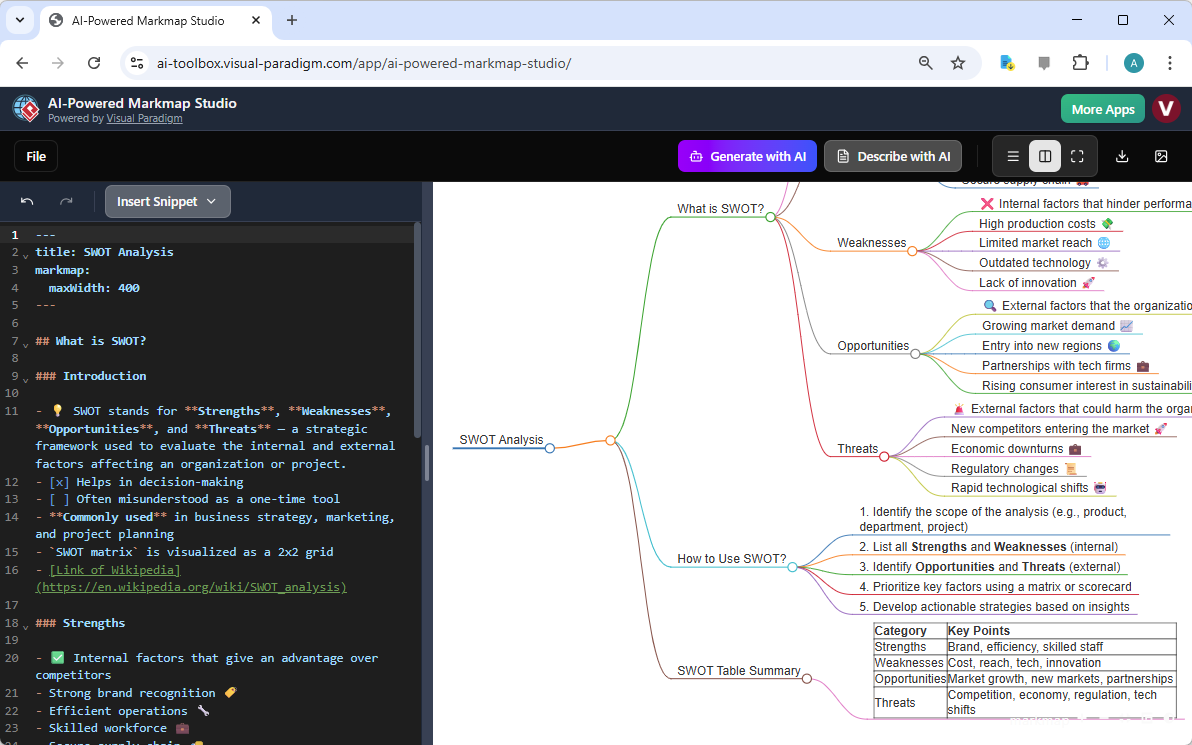
Turn complex business insights into an interactive, editable diagram in seconds. This AI-Powered Markmap Studio screenshot shows how to build a SWOT analysis using Markdown syntax — with tables, emojis, and checkboxes — and then instantly generate a structured, visual summary. No drag-and-drop. No guesswork. Just text, and a live diagram that adapts to your ideas.
Visual Paradigm’s AI-Powered Markmap Studio turns your raw thoughts into a professional, shareable visual tool. Whether you’re a student, analyst, or entrepreneur, this tool lets you create, edit, and summarize mind maps with just a few keystrokes. The interface is split-screen: the left side holds your Markdown code, and the right side shows the live visual result — which updates as you type. It’s not just a diagram. It’s a dynamic, intelligent workspace.
Build Your SWOT Analysis with Markdown and AI
Traditional mind maps are static. Markmap is different. It’s built for flexibility — you can use tables, checkboxes, emojis, and even links to create rich, multi-format diagrams. The screenshot shows a SWOT analysis being constructed with Markdown. The code on the left defines the structure: headings for Strengths, Weaknesses, Opportunities, Threats — and even a table for categorizing internal vs. external factors.
-
Use Markdown headings to define main branches: `## Strengths`, `## Weaknesses`, etc.
-
Add bullet points or numbered lists for sub-branches. Each item becomes a node in the diagram.
-
Insert emojis or tables to enhance clarity. For example, a table might show “Strengths: Brand, Tech, Staff” — visually organized and instantly understandable.
-
Use links to reference external sources. The screenshot shows a link to Wikipedia for “SWOT” — making your analysis more authoritative.
What makes this powerful is the live preview. As you type, the diagram updates. You don’t need to click “render” or “apply.” The visual adapts in real-time. This isn’t just a diagram. It’s a living document that evolves with your ideas.
Get an AI-Generated Summary of Your Mind Map
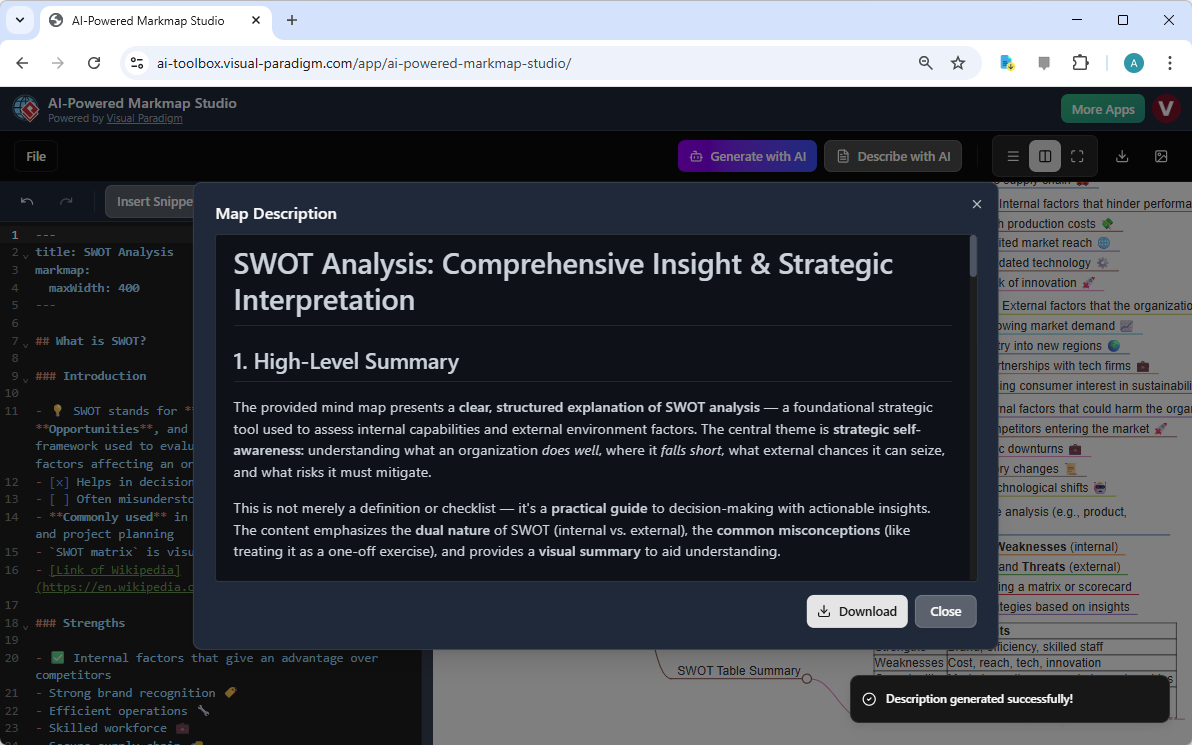
The second screenshot shows the “Describe with AI” feature in action. It reads the entire mind map, analyzes its content, and generates a concise, paragraph-style summary. This is not just a visual tool — it’s a thinking tool. The AI extracts key themes, identifies patterns, and explains the structure of your analysis in natural language.
For example, the summary might say: “This SWOT analysis presents a clear, structured view of internal and external factors — highlighting strengths like brand recognition and weaknesses like high production costs. It emphasizes the need for strategic action, with opportunities in new markets and threats from rapid technological shifts.”
-
AI generates a summary — not just a list, but a coherent, readable explanation.
-
It helps you review your own work — you can see your ideas reflected back at you in a new, structured way.
-
It’s perfect for documentation or presentations — you can share the summary as a standalone text or embed it in a report.
This feature is especially useful when you’re stuck or need to explain your analysis to others. The AI doesn’t just summarize — it interprets. It helps you see the big picture and the connections between your points.
Why This Tool Works for Everyone
Whether you’re a student organizing research, a project manager breaking down a complex plan, or a developer mapping out code structure — this tool adapts to your needs. It’s not a one-size-fits-all solution. It’s a flexible, intelligent assistant that works with your existing workflow.
-
Students & Researchers: Organize study notes, brainstorm for essays, and visualize complex topics to improve retention.
-
Writers & Content Creators: Outline articles, blog posts, or book chapters in a visual and hierarchical way.
-
Project Managers & Business Analysts: Break down complex projects, map out dependencies, and create visual summaries for presentations.
-
Developers: Quickly map out code structures, feature dependencies, or technical concepts.
The tool is built around Markdown — a simple, clean text format. That means you can use it with any text editor, or even just your browser. You don’t need to learn a complex interface. Just write your ideas, and the tool does the rest.
Key Features That Make This Tool Stand Out
-
Live Split-Screen Editor: See your text on the left and the visual preview on the right — update instantly as you type.
-
AI Mind Map Generator: Enter a topic, set the number of main ideas, and depth — the AI generates a complete structure for you.
-
AI Mind Map Describer: Click a button — and get a written summary of your mind map in natural language.
-
Export as SVG or Markdown: Take your diagram out of the studio and into presentations, documents, or other systems.
-
Cloud-Based and Shareable: Save your work online, share it with a link, and collaborate with others — without needing to download or install anything.
Quick Summary / Key Takeaways
-
Use Markdown to build a SWOT analysis — with tables, emojis, and links — and watch the AI generate a visual diagram.
-
See your diagram update in real-time as you type — no need to click or refresh.
-
Use the “Describe with AI” feature to get a written summary of your mind map — perfect for documentation or presentations.
-
Export your mind map as an SVG image or Markdown file — use it anywhere, anytime.
-
Share your work with a simple link — and let others view it without editing it.
Visual Paradigm’s AI-Powered Markmap Studio is not just a tool — it’s a way to think more clearly, communicate more effectively, and organize your ideas with precision. Whether you’re analyzing a business strategy, outlining a research paper, or planning a software project — this tool adapts to your needs and your style.
Start creating your first mind map today. The tool is intuitive, powerful, and designed for real-world use. No setup. No learning curve. Just text, and a visual result that evolves with your ideas.
Try Now: Visit https://ai-toolbox.visual-paradigm.com/app/ai-powered-markmap-studio/ to start building your first mind map — and let the AI help you visualize your thoughts.
Related Links
-
AI -Powered Markmap Studio | Instant AI Mind Mapping from Markdown: The first AI -powered mind mapping studio that understands Markdown. Generate, edit, and visualize complex ideas with the speed of thought. AI -Powered Markmap Studio . Join thousands of users who have swapped messy notes for beautiful, interactive maps .
-
AI-Powered Markmap Studio – Visual Paradigm: AI-Powered Markmap Studio. Create beautiful mind maps with AI assistance … Get the most out of AI-Powered Markmap Studio.
-
The website of gera2ld’s markmap .: Visualize your Markdown with mindmaps