


Imagine you are part of a development team tasked with building a seamless movie ticket booking system. You have a solid idea of how a customer should interact with the app, but as the project grows, the distance between a visual diagram and a concrete test plan starts to feel like a canyon. Writing manual reports, identifying every possible user path, and drafting dozens of test cases is a monumental task that often leads to human error. This is where the online AI-powered use case diagram analyzer from Visual Paradigm steps in, acting as an intelligent bridge that transforms your high-level designs into actionable, professional documentation in seconds.
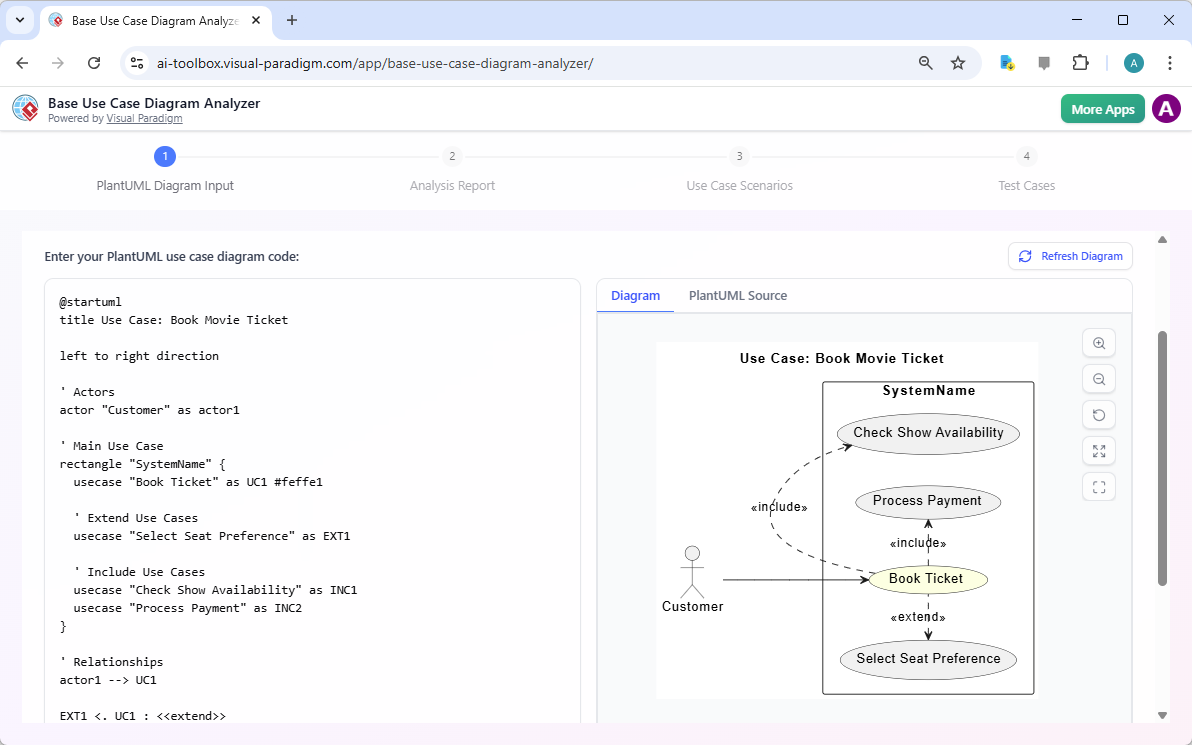
The journey begins with a simple text-based description of your system’s logic. In the first stage of this innovative tool, you use PlantUML—a straightforward language that turns text into visual models. For our movie booking scenario, the user inputs code that defines the “Customer” actor and their relationship to the “Book Ticket” use case. As you type, the interface provides a live preview, showing how the “Book Ticket” function includes “Check Show Availability” and “Process Payment,” while extending into “Select Seat Preference.” This real-time feedback ensures your logic is sound before the AI begins its deep dive.
Quick Takeaways: Why Use an AI-Powered Analyzer?
-
Speed: Moves from a basic diagram to a full test plan in four guided steps.
-
Accuracy: Uses AI to uncover hidden logic and edge cases you might miss manually.
-
Portability: All outputs are generated in Markdown, making them easy to share or edit.
-
Zero Friction: No account or login is required to start analyzing your diagrams.
-
Integration: Supports PlantUML, the industry standard for text-to-diagram modeling.
Transforming Visuals into Professional Reports
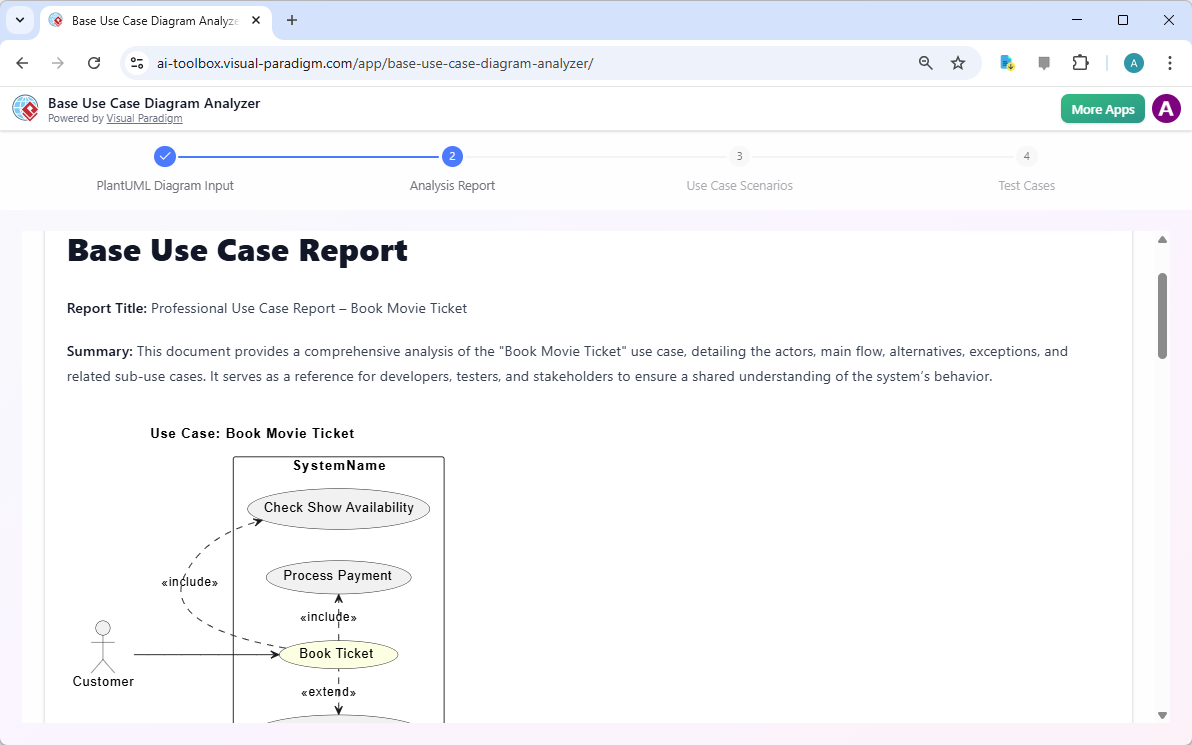
Once your diagram code is ready, the online AI-powered use case diagram analyzer takes over the heavy lifting. By clicking “Generate,” you move into the Analysis Report phase. Think of this as having a senior business analyst sitting right next to you. The AI meticulously reads the relationships between your actors and use cases to create a comprehensive textual summary. This report defines the scope of the “Book Movie Ticket” process, detailing exactly who is involved and what the system’s primary goals are. It’s a vital document for ensuring that stakeholders, developers, and testers are all reading from the same playbook.
This stage is crucial because it translates abstract shapes into clear, unambiguous language. In the movie booking example, the AI identifies that the system must handle not just the main ticket purchase, but also the sub-processes like payment and availability checks. This textual clarity helps catch “logic gaps”—those pesky missing steps that often don’t become apparent until you’re halfway through coding. By seeing the system described in plain English, you can validate that your original diagram actually covers everything the business requires.
Mapping the User Journey through Scenario Extraction
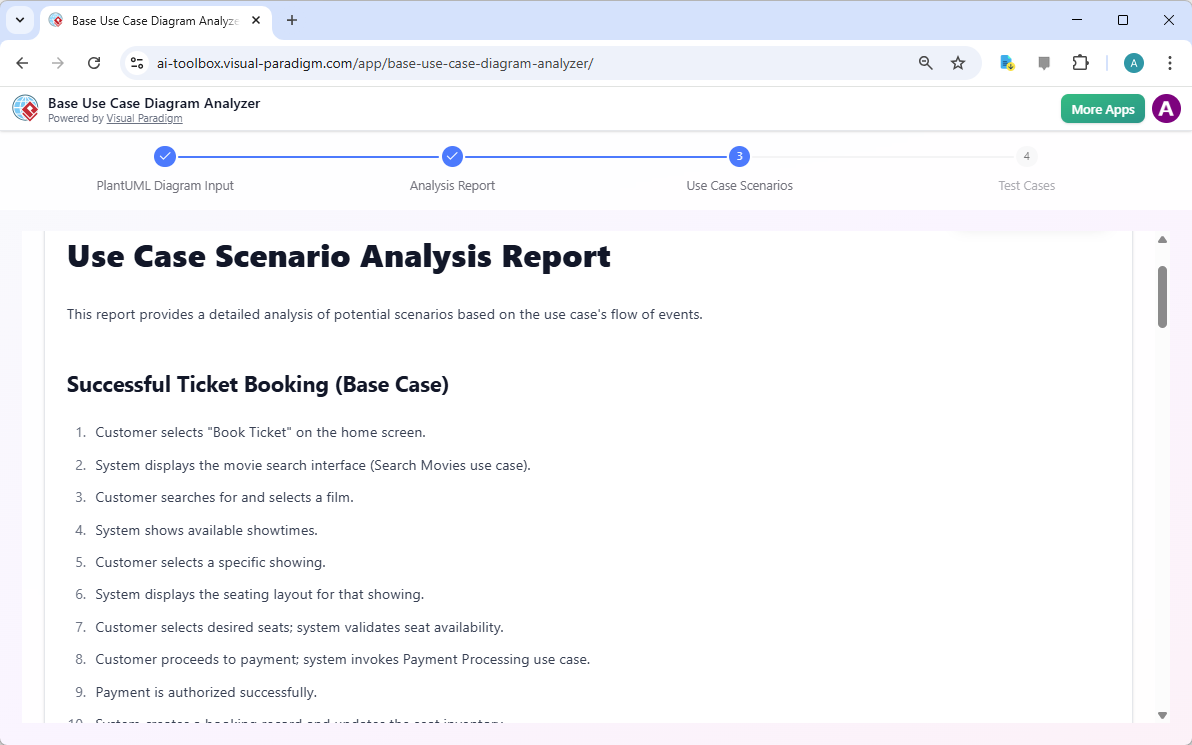
A diagram shows you *what* the system does, but a scenario shows you *how* it happens step-by-step. In the third step of the workflow, the tool generates a Use Case Scenario Analysis Report. This is where the narrative truly comes alive. The AI takes the “Book Movie Ticket” use case and breaks it down into a chronological sequence of events. It describes the “Successful Ticket Booking” base case: the customer selects a movie, the system displays the search interface, the user chooses a showing, the seating layout appears, and finally, the payment is authorized.
By enumerating these specific paths, the online AI-powered use case diagram analyzer ensures that you aren’t just looking at a static image, but a dynamic flow of data. It’s like a rehearsal for your software. This step is particularly helpful for Quality Assurance engineers who need to understand the “Happy Path”—the ideal route a user takes to reach their goal without any errors. Having these scenarios pre-written saves hours of brainstorming and guarantees that the foundational logic of the system is documented before a single line of application code is even written.
From Logic to Action: Automatic Test Case Formulation
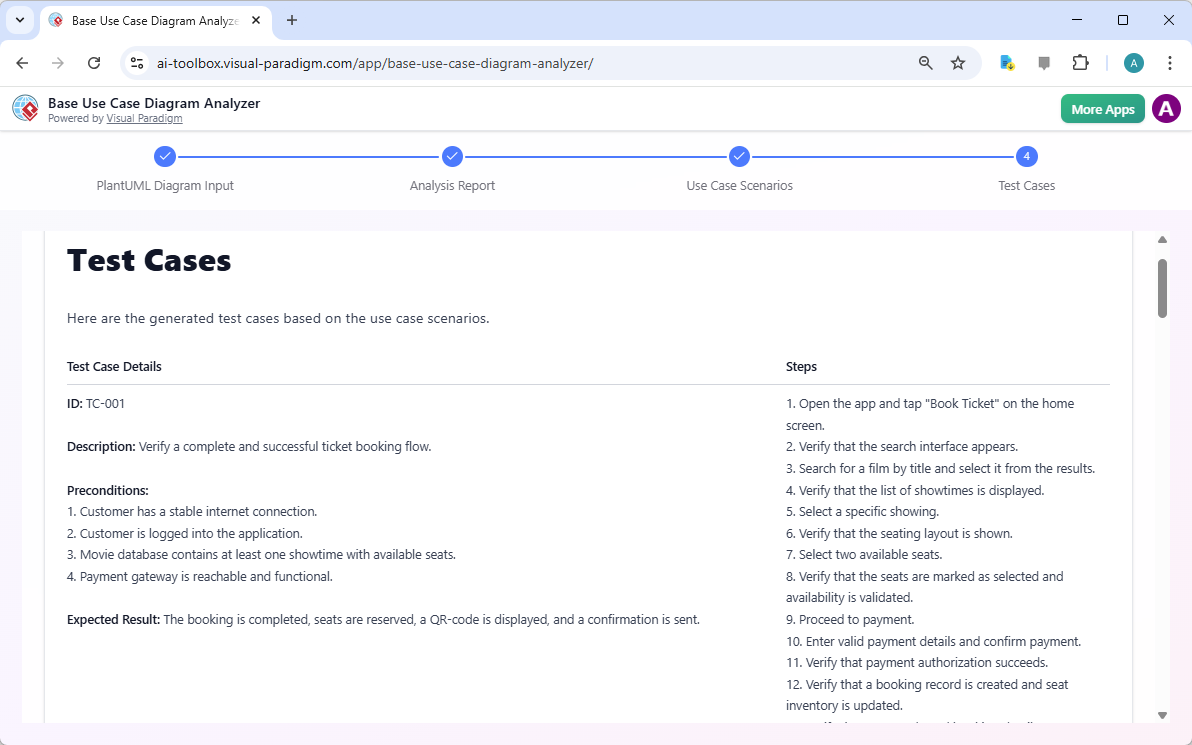
The final and perhaps most rewarding step of the process is the formulation of concrete test cases. Designing a test plan is often a tedious affair involving spreadsheets and repetitive writing. However, this tool leverages the previously generated scenarios to build a ready-to-use testing suite. Each test case, such as TC-001, comes with a specific ID, a clear description, a list of preconditions (like ensuring the user is logged in), and a detailed set of steps. Most importantly, it defines the “Expected Result”—the ultimate yardstick for success.
In our movie ticket example, the AI-generated test case verifies the complete flow: from tapping “Book Ticket” to receiving a confirmation QR code. It checks if the search interface appears, if the seating layout is valid, and if the payment authorization succeeds. These aren’t just generic tests; they are tailored specifically to the diagram you provided at the start. Once the AI finishes its work, you can export the entire collection as a Markdown file, allowing you to drop these tests directly into your favorite project management tool or documentation repository.
The Future of Requirements Validation
In the fast-paced world of software development, the ability to pivot from a visual concept to a detailed technical requirement is a competitive advantage. The online AI-powered use case diagram analyzer simplifies the most complex part of the design phase: the transition from “what we want” to “how we prove it works.” By using PlantUML as a starting point, it embraces the “diagrams as code” philosophy, making your documentation as flexible and version-control-friendly as your software itself.
Whether you are a Business Analyst looking to validate requirements, a QA Engineer needing a head start on test planning, or a Project Manager who needs clear reports for stakeholders, this tool provides a structured, results-focused roadmap. It eliminates the “blank page” syndrome and replaces it with an intelligent assistant that understands the nuances of system behavior. By automating the extraction of reports, scenarios, and test cases, you can focus your energy on what really matters: building a great user experience.
Ready to see your diagrams in a whole new light? Stop spending hours on manual documentation and let artificial intelligence do the heavy lifting for you. Experience the efficiency of the online AI-powered use case diagram analyzer today and transform your movie booking system—or any complex logic—into a masterpiece of organized documentation.
Try it now: Visit the Base Use Case Diagram Analyzer to start your analysis. For more information on how Visual Paradigm can revolutionize your design workflow, explore the official tool page.
Related Links
-
Use Case Diagram – Wikipedia: A use case diagram is a visual representation of system functionality from the user’s perspective, commonly used in UML to model interactions between actors and the system.
-
AI-Based Use Case Diagram Analyzer – Visual Paradigm: An AI-powered tool that automatically analyzes and generates use case diagrams from textual requirements or natural language input.
-
Base Use Case Diagram Analyzer – AI Tool by Visual Paradigm: An AI-driven tool that converts natural language descriptions into structured use case diagrams, enhancing software modeling efficiency.
-
What is a Base Use Case Diagram Analyzer and How Can It Help You?: A comprehensive guide explaining how the base use case diagram analyzer automates the creation of use case diagrams from textual input using AI.
-
Free AI Use Case Diagram Analyzer Released by Visual Paradigm: Visual Paradigm has released a free AI-powered tool that enables users to generate accurate use case diagrams from plain text input.
-
Base Use Case Diagram Analyzer Editor – Free … – Visual Paradigm: Edit and analyze PlantUML base use case diagrams with instant previews. Generate reports, scenarios, and test cases effortlessly using the Free Base Use …
-
AI Base Use Case Diagram Analyzer Examples – Visual Paradigm AI: Explore AI-powered use case diagram analysis for Healthcare, Finance, E-commerce, Education, and Transportation with step-by-step examples using the Base …
-
AI Extend & Include Use Case Analyzer Tutorial – Visual Paradigm Guides: 21 Aug 2025 · The AI Extend & Include Use Case Analyzer is designed to analyze and visualize use case relationships from your PlantUML use case diagrams.