


When designing complex software systems, standard Unified Modeling Language (UML) constructs often reach their limit. General-purpose diagrams provide a foundation, but they lack the specificity required for niche domains or specialized architectural patterns. This is where the UML Profile mechanism becomes essential. A profile allows modelers to extend the UML metamodel without altering its core structure. This guide outlines strategic approaches to implementing and maintaining UML Profile Diagrams effectively.
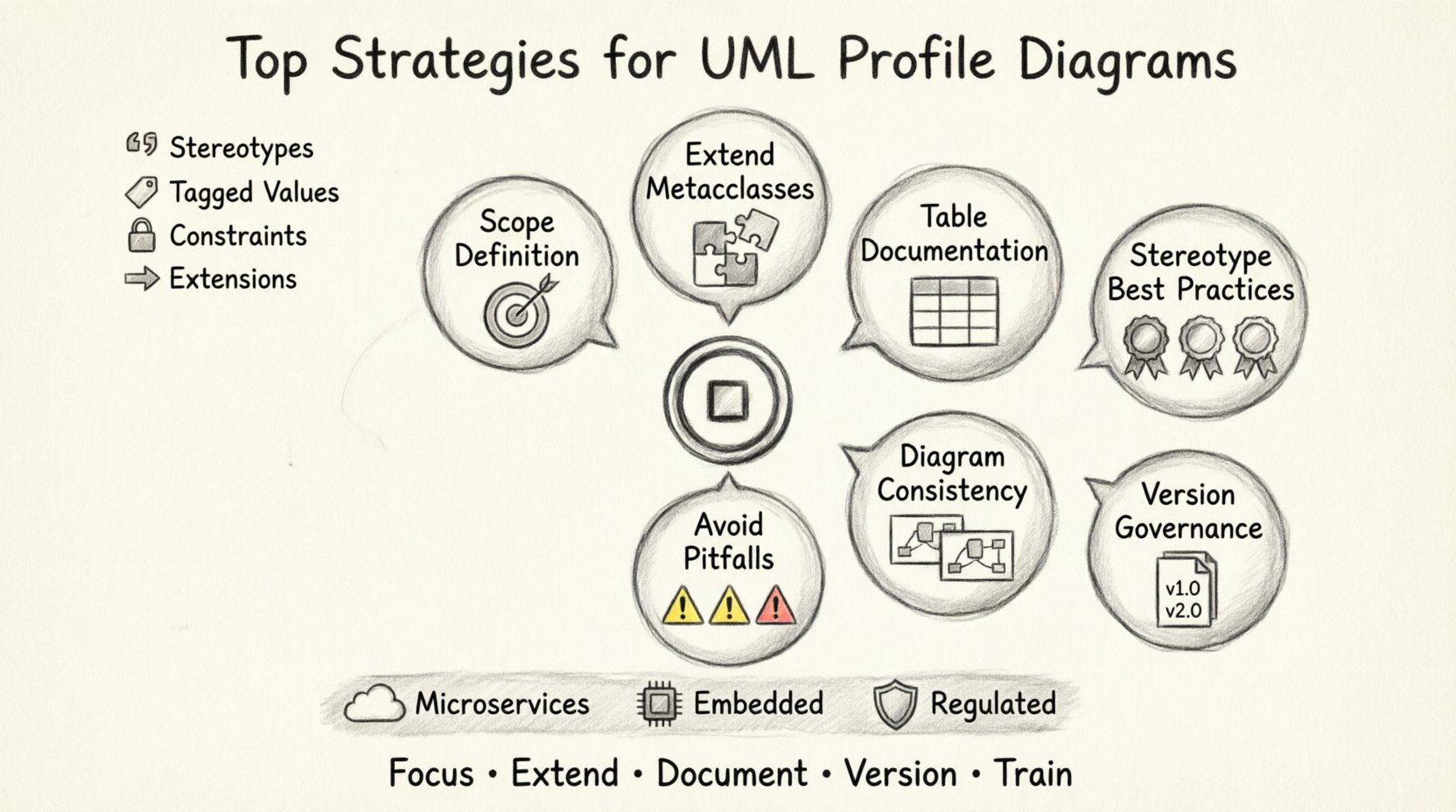
📐 Understanding the Foundation of UML Profiles
Before applying strategies, it is crucial to understand what a profile actually is. In the UML specification, a profile is a mechanism for customizing UML. It defines a new vocabulary of modeling elements that are derived from standard UML types. These elements are called stereotypes. When applied to existing UML constructs, stereotypes change the semantics of those constructs within the specific context of the profile.
Profiles are not separate languages; they are extensions. They reside within a profile package and extend the UML metamodel. This allows teams to express domain-specific concepts without reinventing the wheel. For example, a web development profile might define a stereotype for a “Controller” or “View” that maps to standard class or component stereotypes but adds specific tagged values for routing and state management.
Key Components of a Profile
- Stereotypes: The core building blocks that extend UML metaclasses.
- Tagged Values: Additional data properties attached to stereotypes to capture specific information.
- Constraints: Rules expressed in the Object Constraint Language (OCL) that limit how elements can be used.
- Extensions: The relationship between the stereotype and the metaclass it extends.
🛠 Strategic Implementation of Extension Mechanisms
Creating a profile requires deliberate planning. Haphazard extension leads to confusion and model degradation. The following strategies ensure that your profile remains robust and usable over time.
1. Define Clear Scope and Boundaries
Every profile must have a defined scope. Attempting to create a “one-size-fits-all” profile usually results in a bloated and unusable artifact. Identify the specific domain or architectural layer the profile addresses.
- Domain Specificity: Is the profile for database integration, user interface patterns, or security protocols?
- Layer Specificity: Is it focused on the presentation layer, the business logic layer, or the infrastructure layer?
- Project Specificity: Is this profile intended for a single project or a suite of projects within an organization?
By narrowing the focus, you ensure that the stereotypes added are relevant and necessary. This reduces cognitive load for other modelers who use the diagram.
2. Leverage Standard UML Metaclasses
Always extend from existing UML metaclasses whenever possible. Do not create entirely new top-level elements unless absolutely necessary. For instance, extend the Class metaclass rather than creating a new Entity metaclass.
This approach ensures interoperability. If you extend standard types, other tools and modelers can understand the structure even if they do not support your specific profile fully. It maintains a level of compatibility with the broader UML ecosystem.
3. Utilize Tables for Extension Mapping
Documentation is critical. A profile defines a mapping between your new stereotypes and standard UML types. Use tables to document this mapping clearly.
| UML Metaclass | Stereotype Name | Usage Context | Tagged Values |
|---|---|---|---|
| Class | 📦 Entity | Business Data Objects | Table Name, Primary Key |
| Component | 🔍 API Service | Microservices Interface | Base URL, Protocol |
| Node | 🛠 Database Server | Infrastructure Deployment | Capacity, Region |
This table structure helps modelers quickly reference what is expected when they apply a stereotype to a diagram element.
🔑 Managing Stereotypes and Tagged Values
Stereotypes are the primary vehicle for customization. How you design them determines the clarity of your diagrams. Tagged values provide the necessary metadata to make the model actionable.
Best Practices for Stereotypes
- Keep Names Short and Descriptive: Avoid long names. Use terms that are common in the domain. For example, use
📦 Controllerinstead of📦 HTTPRequestControllerHandler. - Use Visual Distinctiveness: Define icons or specific notation styles if the modeling tool supports it. This allows for instant visual recognition of the stereotype on a diagram.
- Limit Depth: Avoid creating deep hierarchies of stereotypes. A flat structure is easier to navigate and maintain.
Implementing Tagged Values
Tagged values allow you to attach data to a stereotype. They are essential for transforming a diagram from a visual representation into a source of truth for code generation or validation.
- Define Types: Specify the data type for each tagged value (e.g., String, Integer, Boolean).
- Set Defaults: Where appropriate, provide default values to reduce the burden on the modeler.
- Enforce Constraints: Use OCL constraints to ensure tagged values meet specific criteria. For example, a “Version” tagged value should not be empty.
🔗 Integration with Standard Diagrams
A profile is rarely used in isolation. It is applied to standard UML diagrams like Class Diagrams, Component Diagrams, and Deployment Diagrams. The strategy here is consistency.
Ensuring Consistency Across Diagram Types
When a stereotype is applied, it should behave predictably across different diagram types. If a class is marked as an 📦 Entity in a Class Diagram, the corresponding component in a Component Diagram should retain that semantic meaning.
- Traceability: Ensure that stereotypes maintain their identity when viewed in different contexts.
- Visualization: Decide how the stereotype is rendered. Should it appear as text in a box, an icon next to the name, or a specific color?
- Filtering: Allow users to filter diagrams based on stereotypes. This helps focus on specific layers of the architecture.
🛡 Governance and Version Control
As a profile evolves, it must be managed like software. Profiles change over time as requirements shift and domain knowledge grows. Without governance, a profile becomes a source of technical debt.
Versioning Strategies
Assign version numbers to your profiles. This allows different projects to rely on specific versions without unexpected changes breaking their models.
- Major Version Changes: Occur when backward compatibility is broken (e.g., removing a stereotype).
- Minor Version Changes: Occur when new stereotypes are added or tagged values are added without removing existing ones.
- Patch Versions: Occur for bug fixes in the profile definition itself.
Documentation and Change Logs
Maintain a change log for every profile update. This log should detail:
- What was added or removed.
- Why the change was made.
- Who approved the change.
- Impact analysis on existing models.
🚫 Common Pitfalls to Avoid
Even with a solid strategy, mistakes happen. Being aware of common pitfalls helps you navigate modeling challenges effectively.
1. Over-Engineering the Profile
Creating a profile with hundreds of stereotypes is rarely useful. If a profile becomes too complex, users will stop using it. Focus on the 20% of stereotypes that cover 80% of the use cases.
2. Ignoring Tool Limitations
While profiles are a standard, not all modeling tools support them equally. Some tools allow full customization, while others only support basic stereotype application. Test your profile in the target environment before deployment.
3. Neglecting Training
A profile is useless if the team does not understand how to use it. Provide training sessions and examples. Create a “Cheat Sheet” that lists available stereotypes and their tagged values.
4. Mixing Profiles
Do not mix multiple profiles that define conflicting stereotypes. For example, do not have two profiles that both define a stereotype named 📦 Controller with different meanings. This creates ambiguity and breaks model integrity.
📊 Real-World Application Scenarios
Understanding where to apply these strategies requires looking at real-world scenarios. Below are common contexts where UML Profile Diagrams add significant value.
Microservices Architecture
In microservices, standard class diagrams often fail to capture the distributed nature of the system. A profile can define stereotypes for 🛤 Service, 🔏 Gateway, and 🔧 Message Queue. Tagged values can store API endpoints and data formats.
Embedded Systems
Embedded systems require precise hardware-software mapping. A profile can extend the Deployment Diagram to include specific hardware constraints. Stereotypes like 📦 Sensor or 📦 Actuator can be attached to nodes to define resource usage.
Regulated Industries
In healthcare or finance, compliance is paramount. Profiles can enforce specific naming conventions and mandatory tagged values for audit trails. This ensures that every model generated meets regulatory requirements automatically.
🔄 Maintenance and Evolution
Once a profile is in use, it enters a lifecycle. It requires ongoing maintenance to remain relevant. This involves reviewing the profile periodically to see if it still aligns with current architectural standards.
Periodic Audits
- Usage Analysis: Check which stereotypes are actually used in models. Remove unused stereotypes to keep the profile lean.
- Feedback Loop: Gather feedback from modelers. If a tagged value is confusing, update its documentation or change its name.
- Standard Alignment: Monitor UML specification updates. Ensure your profile remains compatible with new versions of the standard.
Refactoring Profiles
Just like code, profiles need refactoring. If you notice that multiple stereotypes are doing the same thing, consolidate them. If a stereotype is too broad, split it into more specific ones.
📝 Summary of Implementation
Implementing UML Profile Diagrams is a strategic endeavor that requires discipline. It is not about adding visual flair; it is about increasing the semantic richness of your models. By following these strategies, you ensure that your diagrams communicate complex domain logic clearly.
- Define Scope: Keep the profile focused on specific domains.
- Extend Standards: Base stereotypes on standard UML metaclasses.
- Document Mapping: Use tables to clarify relationships.
- Manage Versions: Treat the profile as a versioned asset.
- Train Users: Ensure the team understands the vocabulary.
When executed correctly, a UML Profile transforms a generic diagram into a powerful specification tool. It bridges the gap between abstract design and concrete implementation, enabling better communication across technical teams.