


Unified Modeling Language (UML) serves as the backbone for software architecture and system design. However, standard UML often falls short when addressing specific industry needs or proprietary requirements. This is where the UML Profile Diagram becomes essential. It allows modelers to extend the language without altering the core standard. This guide explores the structural mechanics, implementation details, and theoretical underpinnings of profile diagrams.
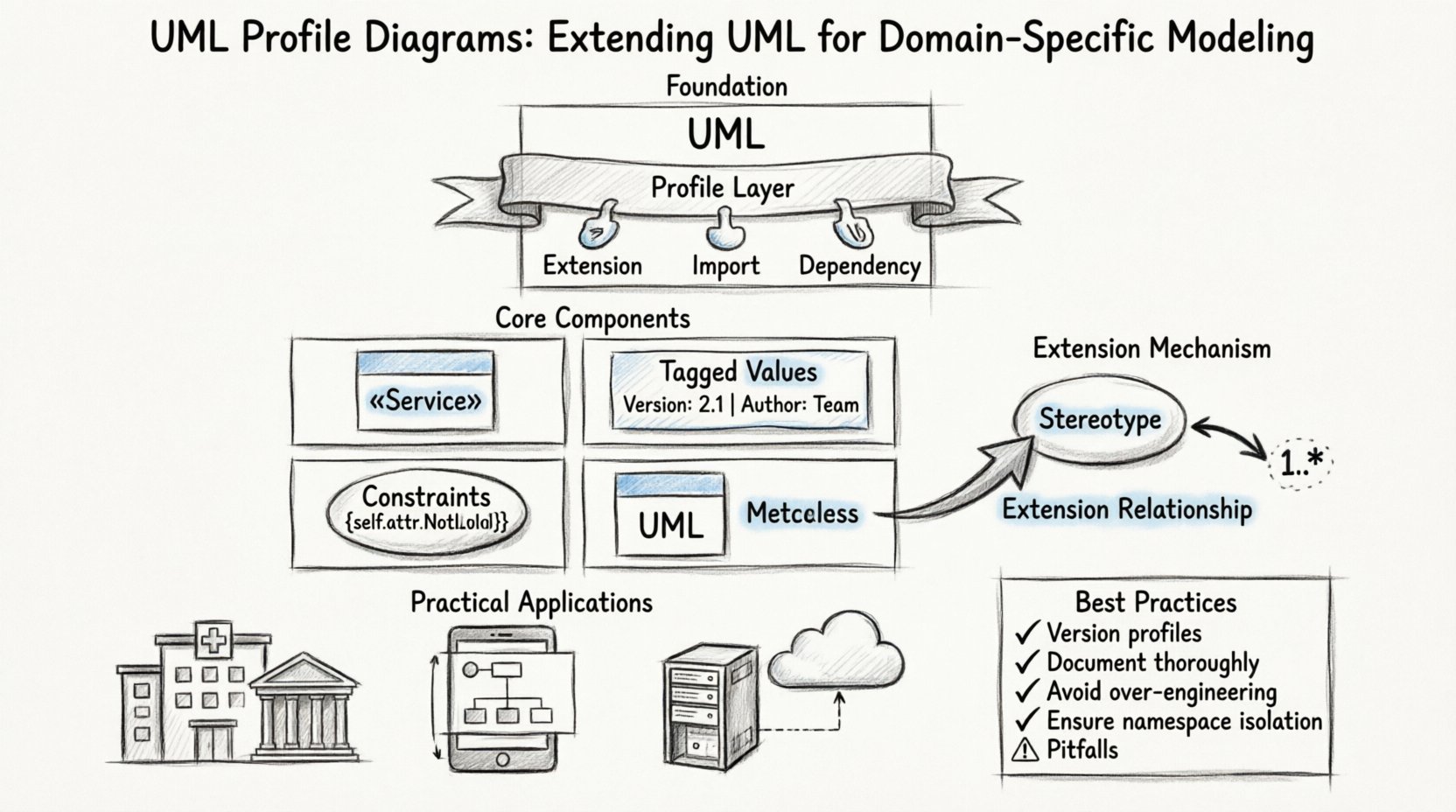
Understanding the Foundation 🧱
A UML Profile acts as a customization layer. It does not replace the base language but augments it. Think of it as a specialized toolkit added to a standard set of wrenches. The primary goal is to map abstract modeling concepts to domain-specific terminology. For instance, a model for an aerospace system might require specific attributes for flight safety that general software modeling does not cover.
Profiles are defined within the UML specification as a mechanism to extend the metamodel. They operate independently of any specific modeling tool, ensuring portability across different environments. The structure relies on three key relationships:
- Extension: Links a stereotype to a metaclass.
- Import: Brings in existing definitions from other profiles.
- Dependency: Indicates that one profile relies on another.
When constructing a profile, the architect defines a namespace. This namespace contains all the new elements. By isolating these definitions, conflicts with standard UML elements are minimized. The profile remains modular, allowing for selective application within a larger system model.
Core Components of a Profile 🧩
Every profile consists of specific building blocks. Understanding these components is crucial for creating robust and maintainable models. These elements work together to define how the standard UML classes are modified.
1. Stereotypes
A stereotype is the most visible part of a profile. It allows you to label a UML element with a custom name. Instead of a generic Class, you might have a Service or Component. Stereotypes are displayed using guillemets, such as «Service». They provide semantic meaning to the model without changing the underlying structure.
2. Tagged Values
While stereotypes provide labels, tagged values provide data. They allow you to add properties to a model element. For example, a class might have a property called Version or Author. Tagged values are dynamic and can be changed without altering the model’s topology. This is vital for metadata management in large-scale projects.
3. Constraints
Constraints enforce rules. They define validity conditions for the model elements. A constraint might state that a specific attribute cannot be null, or that a relationship must follow a certain pattern. These are often written in a formal language like OCL (Object Constraint Language), though natural language is sometimes used for clarity.
The following table outlines the distinct roles of these components:
| Component | Function | Example Usage |
|---|---|---|
| Stereotype | Names a type of element | «Entity» vs «DTO» |
| Tagged Value | Adds properties to elements | Priority: High |
| Constraint | Enforces rules | Attribute must be unique |
| Metaclass | The class being extended | UML Class, UML Association |
The Extension Mechanism Explained 🔗
The core technical mechanism behind a profile is the Extension relationship. This relationship connects a stereotype to a metaclass. The metaclass represents the element type in the standard UML metamodel. The stereotype represents the new definition.
When you apply a stereotype to a model element, you are essentially saying, “Treat this standard element as if it were defined by this stereotype.” The tool or parser then looks up the extension definition to understand what additional properties or behaviors are associated with that label.
There are specific rules governing how extensions work:
- Target Class: The extension must target a valid metaclass from the UML kernel.
- Multiplicity: A stereotype can extend multiple metaclasses, but each instance of the stereotype applies to one specific element.
- Inheritance: Stereotypes can inherit from other stereotypes, creating a hierarchy of definitions.
This mechanism ensures consistency. If a modeler creates a new stereotype based on a standard Class, the new element retains all standard behaviors of a Class. It simply gains the new attributes defined in the profile.
Defining Stereotypes and Tagged Values 🏷️
Creating a stereotype involves defining its name, the metaclass it extends, and its properties. Properties are defined as tagged values. This process requires careful planning to avoid naming collisions with standard UML properties.
Step-by-Step Definition Logic
- Identify the Target: Determine which standard UML element needs customization. Is it a Class? An Association? A Use Case?
- Create the Namespace: Establish a unique namespace for the profile. This prevents conflicts with other profiles or standard names.
- Define the Stereotype: Give the stereotype a clear, descriptive name. Avoid generic terms.
- Add Tagged Values: List the specific data points required. Consider data types (String, Integer, Boolean) for each value.
- Define Constraints: Add any rules that must be enforced when the stereotype is used.
Consider a scenario where you are modeling a distributed system. You might define a stereotype called «Microservice» extending the UML Component stereotype. This stereotype might have tagged values for API_Version, Language_Runtime, and Deployment_Target. These values become part of the model’s metadata.
Applying Constraints and Rules ⚖️
Stereotypes and tagged values are descriptive. Constraints are prescriptive. They dictate what is allowed and what is not. Constraints are often the most complex part of a profile because they require formal logic to define validity.
Constraints are attached to the stereotype or the metaclass. They can check:
- Attribute Existence: Does the element have a specific property?
- Relationship Integrity: Is the connection between elements valid?
- Value Range: Is a tagged value within an acceptable range?
For example, a constraint might state that if a class is stereotyped as «Stateless», it cannot have instance attributes. This ensures architectural consistency across the model. When a modeler attempts to add an attribute to such a class, the system flags a violation based on the profile definition.
Practical Implementation Scenarios 🚀
Profiles are not just theoretical concepts; they solve real-world problems. Here are common scenarios where profile diagrams are utilized.
Domain-Specific Modeling
In industries like healthcare or finance, standard UML terms do not align with business vocabulary. A Customer in UML might not be sufficient. A profile can introduce «Patient» or «AccountHolder». This bridges the gap between technical design and business requirements.
Platform-Specific Mapping
When designing software for a specific platform, such as a mobile operating system, certain architectural patterns are required. A profile can enforce the use of specific design patterns. For example, a profile might require that all UI elements are linked to a specific controller stereotype.
Legacy System Integration
When integrating older systems, the terminology might differ from modern standards. Profiles allow modelers to map legacy concepts to modern UML structures. This preserves historical context while enabling modern analysis tools to understand the system.
Managing Profile Evolution 🔄
Profiles are not static. As requirements change, the profile must evolve. Managing this evolution is critical to prevent model breakage. If a profile changes, all models applying that profile may be affected.
Versioning Strategies
To manage changes, profiles should be versioned. This allows multiple versions of a profile to coexist. When a new version is released, models can migrate to the new definitions. This process involves:
- Backward Compatibility: Ensure new versions do not remove existing features abruptly.
- Deprecation: Mark old stereotypes as deprecated before removing them.
- Documentation: Clearly document what changed and why.
Impact Analysis
Before updating a profile, perform an impact analysis. Identify which models rely on the profile. Estimate the effort required to update those models. This prevents unintended consequences where a change in the profile breaks the logic of a specific system.
Common Pitfalls to Avoid ⚠️
While profiles are powerful, they introduce complexity. Misuse can lead to models that are difficult to understand or maintain. Here are common issues encountered during profile implementation.
- Over-Engineering: Creating a profile for every minor variation leads to fragmentation. Keep profiles focused on significant domain needs.
- Redundancy: Do not redefine standard UML properties unless absolutely necessary. This confuses modelers who expect standard behavior.
- Lack of Documentation: A profile without documentation is useless. Define the purpose, usage, and constraints clearly.
- Naming Conflicts: Ensure profile names do not clash with standard UML keywords or other profiles.
The following table highlights the risks associated with poor profile management:
| Risk Area | Consequence | Mitigation Strategy |
|---|---|---|
| Complexity | Model becomes unreadable | Limit profile scope |
| Portability | Tools cannot read the profile | Follow UML standards strictly |
| Maintainability | Hard to update models | Version control profiles |
| Consistency | Rules are ignored | Enforce constraints via tooling |
Relationship Matrix of Profile Elements
Understanding how elements interact is vital for constructing a valid profile. The relationship matrix below illustrates the connections between profile components and the UML kernel.
| Element | Target | Relationship Type | Example |
|---|---|---|---|
| Profile | Package | Is a | Profile extends Package |
| Stereotype | Metaclass | Extension | «Service» extends Class |
| Tagged Value | Property | Owned Attribute | Version property |
| Constraint | Stereotype | Constraint | Not Null rule |
Advanced Considerations for Large Systems
In enterprise environments, multiple profiles often exist simultaneously. Managing these interactions requires a structured approach. Profiles can import other profiles. This creates a hierarchy of dependencies. A core profile might define general patterns, while domain-specific profiles import and extend them.
This modularity allows teams to work in parallel. One team can define the database profile, while another defines the user interface profile. Both can import a common networking profile. This reduces duplication and ensures consistency across different subsystems.
However, circular dependencies must be avoided. If Profile A imports Profile B, and Profile B imports Profile A, the system will fail to resolve the definitions. Careful planning of the import hierarchy is necessary.
Conclusion on Profile Mechanics
UML Profile Diagrams provide a robust mechanism for customizing modeling standards. They allow organizations to align technical models with business language and specific architectural requirements. By understanding the mechanics of stereotypes, tagged values, and extension relationships, modelers can create flexible and scalable systems.
The key to success lies in balance. Profiles should extend the language, not replace it. They must be documented, versioned, and maintained with the same rigor as the code they describe. When implemented correctly, profiles enhance clarity and reduce ambiguity in system design.
As systems grow in complexity, the need for precise modeling tools increases. Profiles offer the necessary granularity to handle this complexity without sacrificing the standardization that UML provides. Whether for domain-specific needs or platform mapping, the profile mechanism remains a fundamental part of modern software architecture.