


UML profiles serve as a fundamental mechanism for extending the standard Unified Modeling Language to fit specific domains or technologies. When constructing these profiles, precision is critical. A poorly defined profile can lead to ambiguous models, validation errors, and maintenance nightmares. This guide provides a comprehensive checklist for designing robust UML profile diagrams. It focuses on structural integrity, semantic clarity, and adherence to specification standards. By following these guidelines, modelers ensure that their extensions are reusable, consistent, and compliant with the UML metamodel.
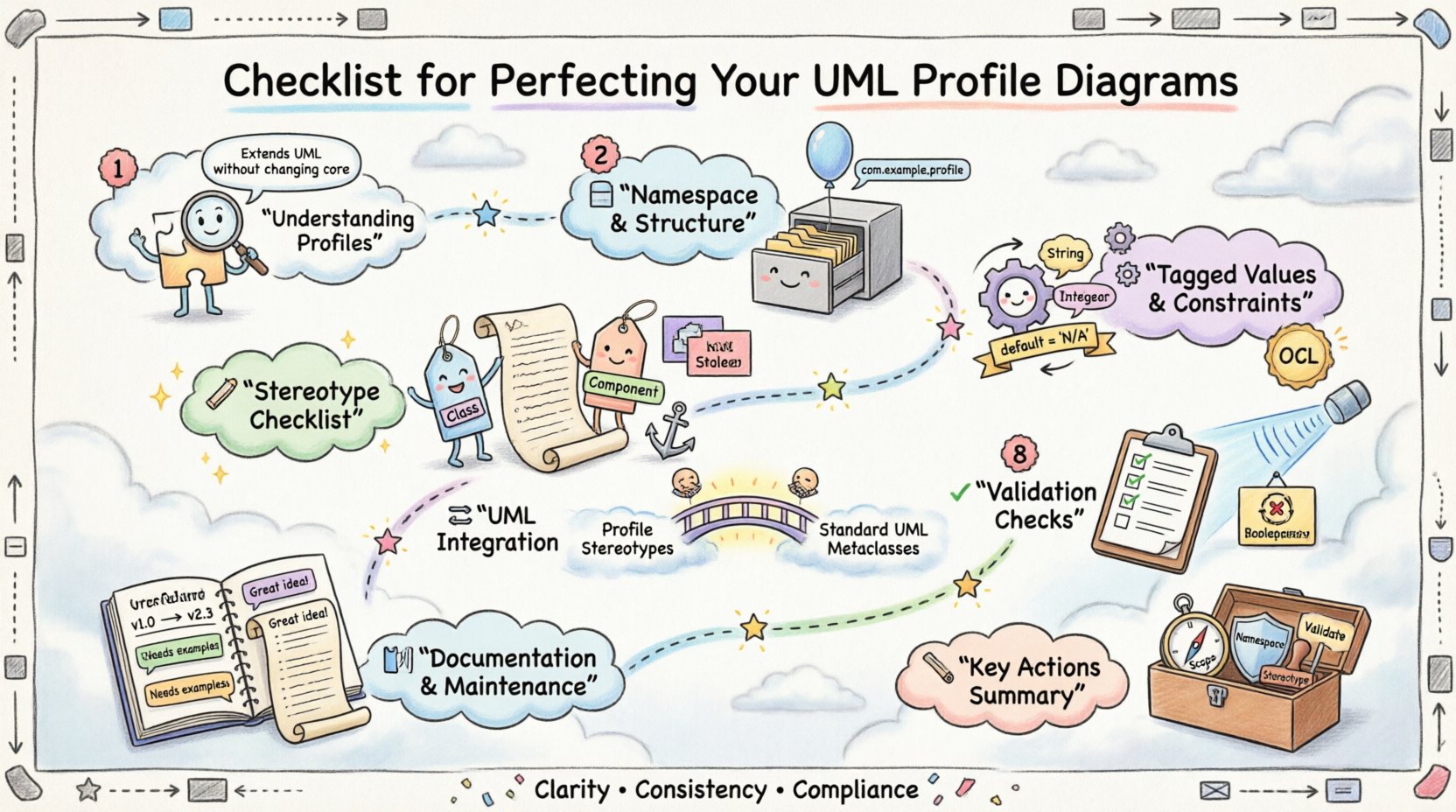
Understanding the Profile Mechanism 🧩
A UML profile is a package that contains stereotypes, constraints, and tagged values. It allows users to specialize the UML metamodel without altering the core language. The profile acts as a layer on top of the standard UML definitions. It does not replace the base model but rather adds specific semantics to it. Understanding this distinction is vital for accurate diagramming.
Profiles are defined using a specific package structure. This package must contain a Profile classifier. The Profile classifier defines the extensions that will be available to the system. These extensions are applied to standard UML elements. For example, a profile might define a stereotype for a database table that adds specific metadata to a class element. This process is known as metamodel extension.
When designing a profile, consider the scope of the extension. Is it for a specific industry, such as aerospace or healthcare? Or is it for a specific technology stack, such as microservices or event-driven architecture? Defining the scope early helps prevent scope creep. It ensures that the profile remains focused and manageable. A profile that tries to do everything often becomes too complex to use effectively.
Structural Foundations and Namespace Management 📂
The structural organization of a profile dictates its usability. A well-organized profile is easy to import, understand, and apply. The following checklist items address the structural requirements.
- Define a Unique Namespace: Every profile must reside in a distinct namespace. This prevents naming conflicts with other profiles or standard UML elements. Use a reverse domain name convention or a project-specific prefix.
- Create a Profile Package: The profile itself should be contained within a package named after the profile. This keeps related elements grouped logically.
- Import Necessary Metamodels: Ensure that the profile imports the standard UML metamodel. This establishes the lineage of the extensions. Without this import, the profile cannot extend standard UML elements correctly.
- Separate Extension Definitions: Keep the definition of the profile separate from the usage of the profile. This allows the profile to be defined once and used in multiple models.
Naming conventions are equally important. All stereotypes, constraints, and tagged values should have clear, descriptive names. Avoid abbreviations that might confuse team members. Use PascalCase or camelCase consistently throughout the profile. Consistency aids in recognition and reduces cognitive load during model review.
Stereotype Definition Checklist 🏷️
Stereotypes are the primary building blocks of a profile. They define new types of elements that can appear in diagrams. Creating a stereotype requires careful attention to its base type and documentation. The following points detail the necessary steps.
- Identify the Base Type: Every stereotype must extend a specific UML metaclass. Common choices include Class, Component, or Interface. Extending the wrong base type can lead to structural conflicts in the model.
- Assign a Distinct Name: The stereotype name should be unique within the namespace. It should clearly indicate the purpose of the extension. For example, use <<Service>> instead of <<Type>>.
- Provide Comprehensive Documentation: Every stereotype must include a description. This text explains what the stereotype represents in the domain. It should also clarify any usage restrictions.
- Visual Representation: Define how the stereotype appears in diagrams. This includes the icon or label style. Ensure it is legible at standard zoom levels.
- Define Parent Stereotypes: If applicable, hierarchies of stereotypes can be created. This allows for inheritance of properties. For instance, a <<PaymentGateway>> might inherit from <<Service>>.
When defining stereotypes, consider the cardinality of the extension. Can an element have multiple stereotypes applied simultaneously? Yes, this is a standard feature. However, ensure that the combinations do not create logical contradictions. For example, a class marked as <<Abstract>> and <<Concrete>> simultaneously would cause validation errors.
Managing Tagged Values and Constraints ⚙️
Tagged values add specific data to elements. Constraints add rules that govern behavior. Both are essential for a complete profile definition. Without them, the profile lacks the detail needed for code generation or strict validation.
- Define Tagged Value Types: Specify the data type for each tagged value. Common types include String, Integer, Boolean, and Enumeration. Using the correct type prevents data entry errors.
- Set Default Values: If a tagged value is optional, provide a default value. This simplifies the modeling process for users who do not need to specify every property.
- Document Tagged Values: Include a description for every tagged value. Explain what the value represents and how it affects the system.
- Implement Constraints: Use constraints to enforce rules. This could be syntactic rules or semantic rules. Constraints should be expressed in a formal language if possible, such as OCL.
- Validate Constraints: Ensure that constraints do not conflict with each other. Test the constraints against sample models to verify they function as intended.
Constraints are powerful tools for maintaining model integrity. They can restrict the number of relationships an element can have. They can also dictate the values that tagged values can accept. For example, a constraint might state that a <<Database>> stereotype must have a "connectionString" tagged value with a specific format.
Integration with Standard UML 🔄
A profile is useless if it cannot interact with standard UML elements. The integration process relies on the extension relationship. This relationship links the stereotype to the base metaclass. It is the bridge that allows the profile to function.
| Element Type | Standard UML Metaclass | Profile Extension Purpose |
|---|---|---|
| Class | Class | Add domain-specific attributes or behaviors. |
| Component | Component | Define deployment or architectural boundaries. |
| Association | Association | Specify relationship semantics like aggregation or composition. |
| Use Case | UseCase | Enrich actor requirements or system interactions. |
| Node | Node | Define hardware or infrastructure specifics. |
When integrating, verify that the extension relationship is correctly established. The stereotype must point to the base type it extends. If this link is broken, the profile will not apply to the model. This is a common error that leads to invisible or non-functional stereotypes.
Validation and Consistency Checks ✅
Validation ensures that the profile functions correctly within a modeling environment. It checks for structural errors and logical inconsistencies. A validated profile is reliable and safe to distribute.
- Run Syntax Checks: Verify that all elements are syntactically correct. This includes checking for missing base types or undefined tags.
- Check Circular Dependencies: Ensure that the profile does not reference itself in a way that creates a loop. Circular dependencies can cause infinite recursion during model processing.
- Test in Sample Models: Apply the profile to a test model. Create instances of the stereotypes and verify that they behave as expected.
- Review Documentation: Ensure that all documentation is up to date. Outdated descriptions can mislead users and cause implementation errors.
- Version Control: Maintain a version history for the profile. This allows for tracking changes and reverting to previous states if necessary.
Consistency is key when multiple profiles are used together. If two profiles define stereotypes with the same name but different meanings, conflicts will arise. Use unique namespaces to mitigate this risk. If conflicts occur, rename the stereotypes to reflect their distinct contexts.
Documentation and Maintenance 📝
Maintenance is an ongoing process. Profiles evolve as requirements change. Documentation must evolve with the profile. A profile without documentation is a liability. It requires reverse engineering to understand, which is inefficient.
- Create a User Guide: Write a guide that explains how to use the profile. Include examples of usage scenarios.
- Provide Migration Paths: If the profile changes, document how to migrate existing models. This helps users transition without data loss.
- Update Metadata: Keep metadata such as authors and dates current. This helps in accountability and support.
- Gather Feedback: Collect feedback from users of the profile. Use this feedback to identify areas for improvement.
- Regular Audits: Schedule regular audits of the profile. Check for deprecated elements or unused definitions.
Summary of Key Actions 🛠️
Creating a high-quality UML profile requires discipline and attention to detail. The checklist provided here covers the essential steps for success. Start with a clear scope and unique namespace. Define stereotypes with precise base types and documentation. Add tagged values and constraints to enforce rules. Integrate carefully with the standard UML metamodel. Validate the profile before distribution. Maintain the profile through versioning and feedback.
By adhering to these standards, you ensure that your profiles add value to your modeling efforts. They become reliable tools that enhance communication and reduce ambiguity. A well-structured profile is an asset that supports the entire lifecycle of the system being modeled. It bridges the gap between abstract design and concrete implementation. Following these guidelines helps achieve that goal effectively.
Remember that the goal is clarity. Every decision in the profile should serve the purpose of making the model more understandable. Avoid complexity for the sake of complexity. Keep the profile lean, focused, and easy to apply. This approach leads to better models and more successful projects.
Finally, keep the specification in mind. UML is a standard. Deviations from the standard should be intentional and well-documented. When you respect the standard while extending it, you maintain compatibility. This compatibility is crucial for long-term project success and tool interoperability.