


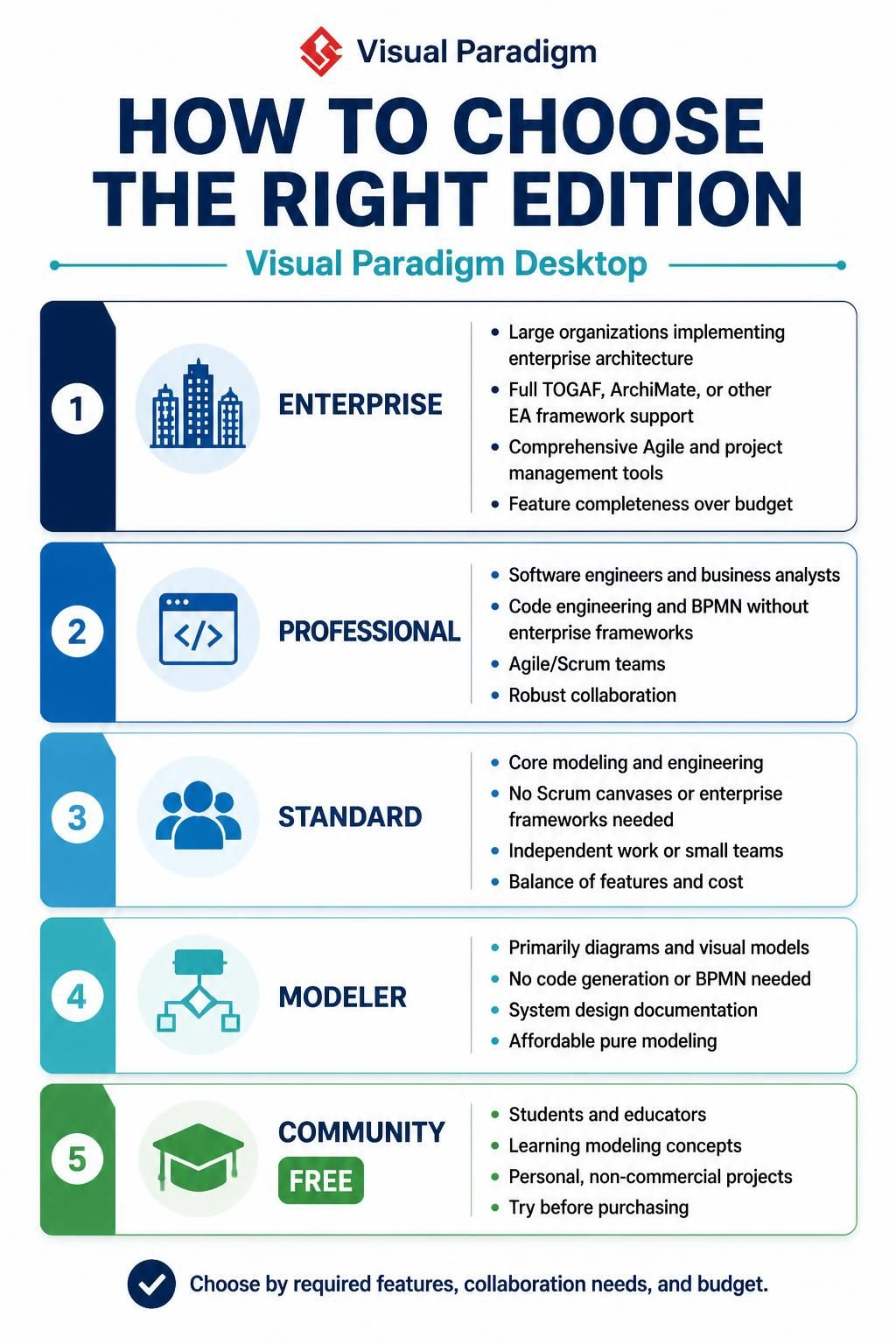
Visual Paradigm is a comprehensive software development tool that supports a wide range of methodologies, from traditional Waterfall to modern Agile and DevOps. However, because it is such a powerful suite of tools, it can be overwhelming for new users to determine exactly which version of the software is required for their specific workflow. Choosing the wrong edition can lead to paying for unused features or, conversely, missing critical capabilities needed for enterprise-level work.
In this tutorial, we will walk through the five primary editions of Visual Paradigm Desktop. We will analyze the specific user personas, technical requirements, and architectural goals associated with each tier. By the end of this guide, you will be able to map your current project requirements to the most efficient and cost-effective Visual Paradigm edition.
1. Enterprise Edition: The Architect’s Command Center
The Enterprise edition is designed for the heavy lifters of the software industry. It is built for large-scale organizations that are implementing full Enterprise Architecture (EA). If your role involves managing complex systems across a large corporation, this edition provides the necessary depth.
Key Capabilities
- Enterprise Framework Support: It includes full support for industry-standard frameworks like TOGAF (The Open Group Architecture Framework) and ArchiMate. These are essential for aligning IT strategy with business goals in large corporations.
- Project Management: It offers comprehensive Agile and project management tools, allowing you to bridge the gap between high-level architectural diagrams and day-to-day sprint execution.
- Feature Completeness: This edition assumes that feature completeness is more important than budget constraints, ensuring you have every tool in the toolbox.
2. Professional Edition: The Developer’s Best Friend
If you are a Software Engineer or a Business Analyst, the Professional edition is likely your sweet spot. It strikes a balance between high-level design and low-level implementation, focusing on the practicalities of building software.
Who Should Use It?
- Code Engineering: Unlike the lower tiers, Professional includes robust code engineering capabilities. You can generate code from your models and reverse engineer existing codebases.
- BPMN Support: It includes support for Business Process Model and Notation (BPMN), allowing you to model complex business workflows.
- Agile/Scrum: This edition is optimized for teams practicing Agile methodologies, offering robust collaboration features without the overhead of full enterprise frameworks.
3. Standard Edition: Core Modeling for Small Teams
The Standard edition is a robust, middle-ground option. It is ideal for independent developers or small teams who need serious modeling power but do not require the heavy machinery of enterprise frameworks or specific Scrum canvases.
Core Features
- Modeling & Engineering: You retain the core modeling and engineering capabilities essential for system design.
- Cost-Benefit Balance: It offers a perfect balance of features and cost. You get the ability to model complex systems without the price tag of the Professional or Enterprise versions.
- Independence: It is designed for those working independently or in small, tight-knit teams who need to get the job done efficiently.
4. Modeler Edition: Visual Focus
Not every project requires code generation or complex business process modeling. Sometimes, the goal is simply to communicate ideas through clear, professional diagrams. The Modeler edition is the most affordable option for this specific use case.
Use Cases
- System Design Documentation: Perfect for creating diagrams that document how a system is designed, such as UML Class Diagrams or Sequence Diagrams.
- Visual Modeling: It focuses purely on the visual aspects of modeling. If you do not need to generate code or use BPMN, this edition saves you money.
- Simplicity: It strips away the advanced engineering and management tools, leaving you with a clean interface for drawing.
5. Community Edition: Learning and Exploration
The Community edition is the entry point for anyone interested in learning modeling concepts. It is completely free, making it accessible to students, educators, and hobbyists.
Target Audience
- Students & Educators: Ideal for academic settings to learn the theory of systems design.
- Personal Projects: Suitable for non-commercial, personal projects where you want to try Visual Paradigm before purchasing a license.
- Trial Environment: It serves as a sandbox to understand the interface and capabilities of the software.
Summary: Making Your Decision
Choosing the right edition ultimately comes down to three factors: your role, your required features, and your budget. If you are in a large organization, you likely need Enterprise. If you are a developer coding daily, Professional is the choice. For standard engineering needs, Standard works well. If you just need to draw, Modeler is sufficient. Finally, if you are learning, Community is the way to start.