


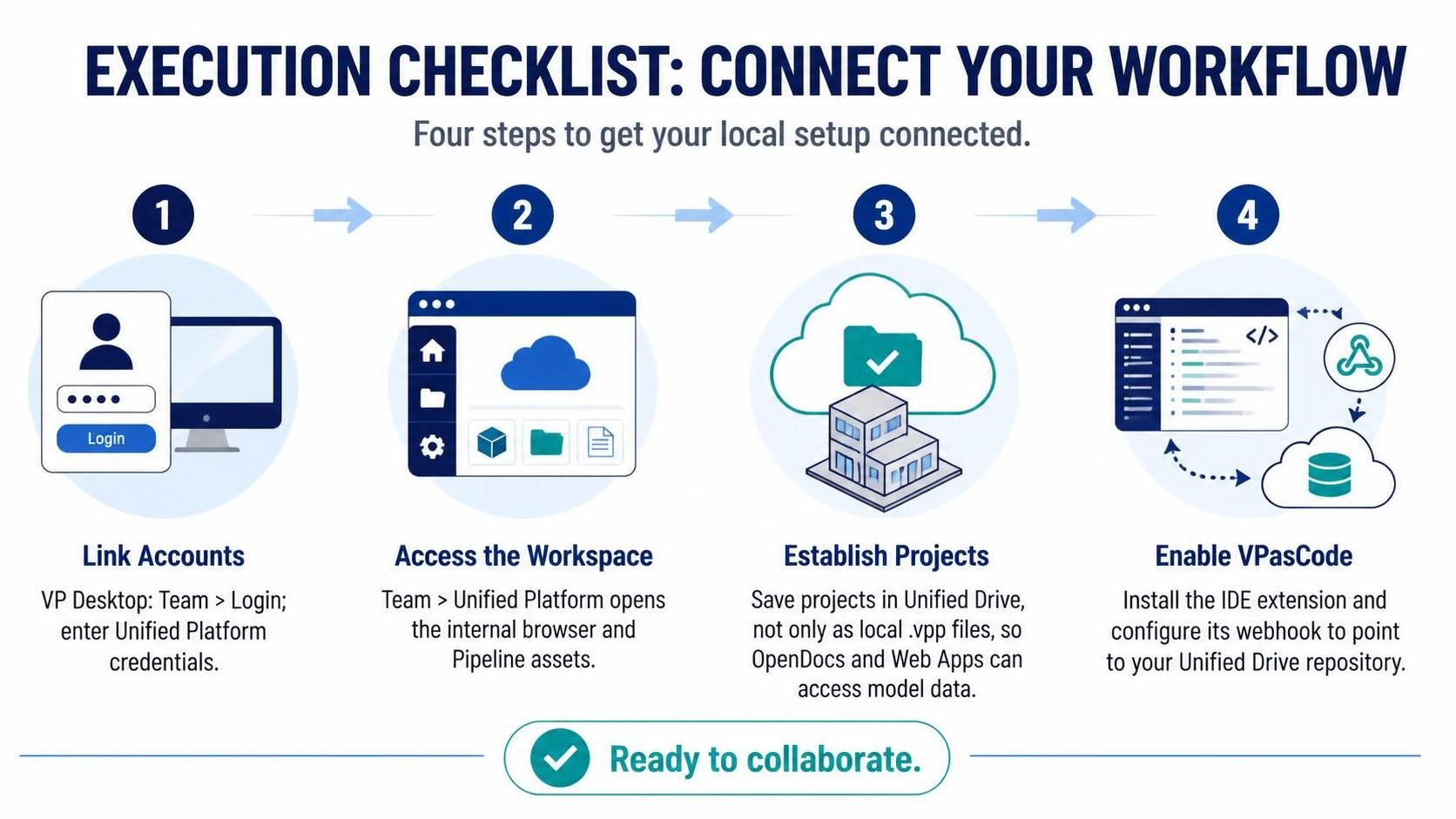
In the modern landscape of enterprise software development, the separation between design, development, and deployment is rapidly dissolving. Visual Paradigm (VP) Desktop serves not merely as a modeling tool, but as a central hub for orchestrating the entire software lifecycle. The “Execution Checklist” outlined in the image represents the critical architectural bridge required to connect a local desktop environment with the broader VP Ecosystem.
This tutorial breaks down the four essential steps to transition from a static, isolated modeling session to a dynamic, collaborative workflow. By following this architecture, you ensure that your models are not just diagrams on a hard drive, but active data sources for Web Apps, OpenDocs, and automated pipelines.
1. Linking Accounts: The Foundation of Identity
The first step in establishing a connection is authentication. Without a verified identity, your local desktop application remains an island, unable to synchronize data with the cloud. This step is about establishing trust between the client (your machine) and the server (the Unified Platform).
- Location: Within the VP Desktop application, navigate to the
Teammenu. - Action: Select
Login. - Requirement: Input your Unified Platform credentials.
Once authenticated, the desktop environment gains the “permission to talk” to the ecosystem. This is the gateway that unlocks the ability to share resources, access shared libraries, and utilize centralized storage.
2. Accessing the Workspace: The Internal Browser
Once logged in, the next architectural component is the Workspace. This is not a simple file explorer; it is a context-aware interface that renders the Unified Platform directly within the desktop application.
- Navigate to
Team>Unified Platform. - Activate the internal browser panel.
This interface provides a view of your incoming Pipeline assets. In a CI/CD (Continuous Integration/Continuous Deployment) environment, pipelines automatically generate or update models based on code commits or design changes. By accessing this workspace, you are effectively subscribing to the live stream of your project’s development, allowing you to review changes immediately without waiting for a manual file transfer.
3. Establishing Projects: The Cloud-Native Paradigm
This is arguably the most critical conceptual shift for developers moving to a cloud ecosystem. Traditionally, projects are saved as local files (e.g., .vpp files) on a specific hard drive. In the Unified Ecosystem, you must save your projects into the Unified Drive.
Why is this distinction vital? Saving to the Unified Drive transforms your project file into a cloud-accessible object rather than a static local artifact. This enables:
- OpenDocs Integration: Documentation systems can read the model data directly to generate up-to-date technical specs.
- Web App Consumption: Web applications can query the model data to drive UI components or logic without needing a local copy of the project.
If you save only as a local .vpp, you create a data silo. By saving to the Unified Drive, you ensure that the “Single Source of Truth” remains consistent across all stakeholders and tools.
4. Enabling VPasCode: The Automation Bridge
The final step closes the loop by enabling automation. VPasCode is the extension designed to bridge the gap between your Integrated Development Environment (IDE) and the modeling layer. It allows developers to write code that directly interacts with Visual Paradigm models.
To configure this, you must perform two actions:
- Install the Extension: Add the VPasCode extension to your IDE (e.g., VS Code, IntelliJ).
- Configure the Webhook: You must explicitly configure the webhook endpoint to point to your Unified Drive repository.
This configuration ensures that whenever a change is made in your code or model, the webhook triggers the synchronization process, pushing updates to the Unified Drive and pulling changes from the cloud.
Summary of Architecture
By executing these four steps, you have successfully architected a workflow where:
- Identity is managed centrally.
- Access is streamlined via an internal browser.
- Data is centralized in the Unified Drive for external consumption.
- Automation is enabled via VPasCode webhooks.
You are now ready to collaborate, with your local desktop fully integrated into the VP Ecosystem.