


Creating a robust UML Profile is a critical step in extending the Unified Modeling Language to fit specific domain requirements. Profiles allow modelers to define new concepts, or stereotypes, without altering the core UML specification. However, this extension mechanism is powerful yet prone to errors. When implemented incorrectly, a profile can introduce ambiguity, break model interoperability, or complicate maintenance efforts significantly.
This guide details the common pitfalls encountered during the creation and application of UML Profile Diagrams. By understanding these structural and semantic errors, you can ensure your models remain clean, consistent, and effective across various stages of development. 🛠️
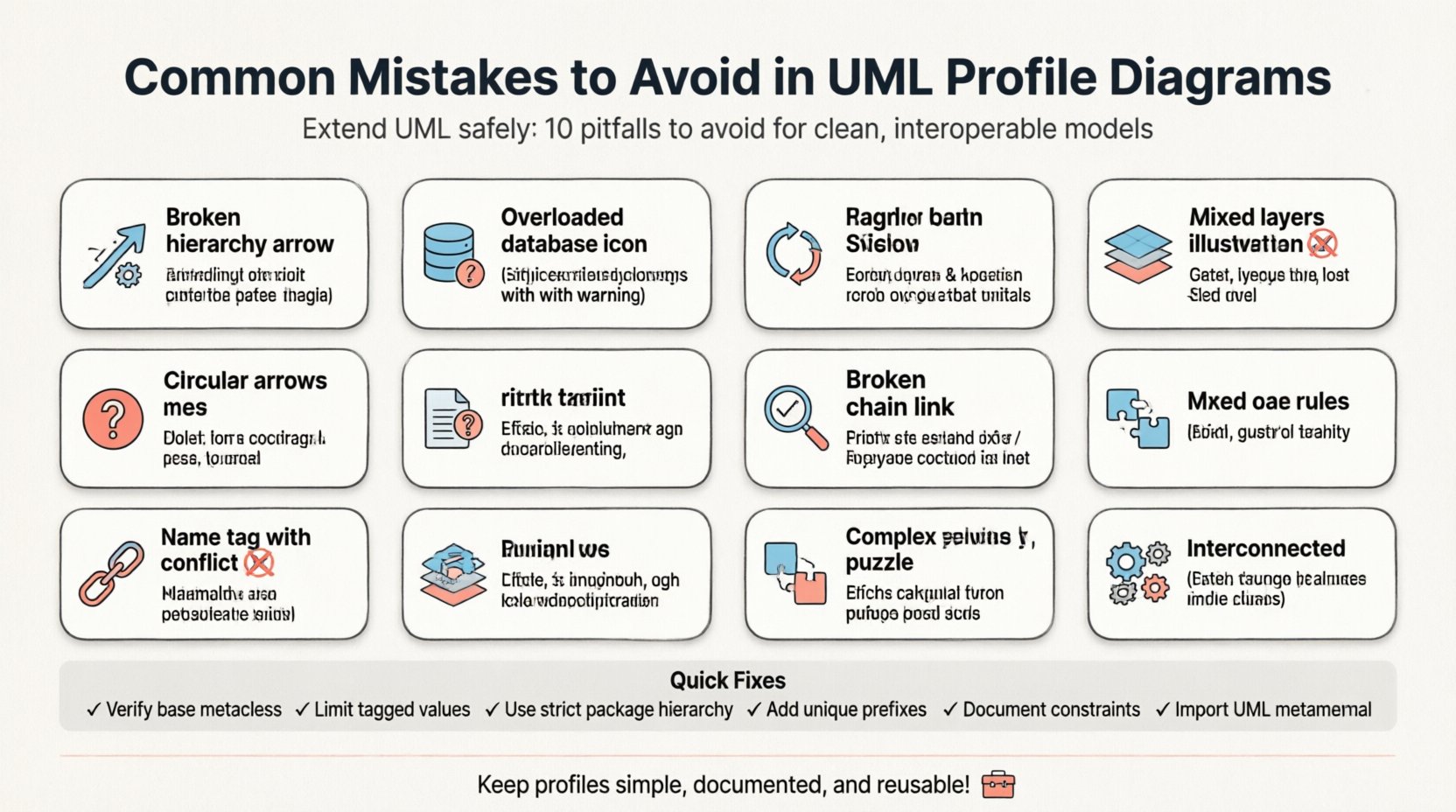
Understanding the Purpose of a Profile 📚
Before diving into errors, it is essential to define what a profile actually does. A UML Profile is a package that extends UML by defining new metaclasses, tagged values, and constraints. It essentially creates a vocabulary tailored to a specific industry or application domain.
Think of a profile as a custom language layer sitting on top of the standard UML grammar. If standard UML is English, a profile is a specialized dialect used by architects in a specific field, such as aviation or healthcare.
Key Components of a Profile
- Package Structure: Profiles are typically organized as packages within the model hierarchy.
- Stereotypes: These are the core elements that extend existing UML metaclasses (like Class or UseCase).
- Tagged Values: Additional data points attached to stereotypes for metadata.
- Constraints: Rules that restrict how elements can be used within the profile.
- Relationships: Dependencies linking the profile to the standard UML metamodel.
Mistake 1: Violating Metaclass Hierarchy 🧱
One of the most technical and frequent errors involves applying a stereotype to a metaclass it is not designed to extend. UML profiles rely on the concept of extension. You cannot arbitrarily attach a stereotype to any element without defining a valid relationship to a metaclass.
The Problem
When you define a stereotype, you must specify the base metaclass. For example, a stereotype named <<Entity>> typically extends the Class metaclass. If you attempt to apply this stereotype to a Interface without extending the Interface metaclass, the model becomes invalid or is misinterpreted by parsers.
- Incorrect Application: Applying a Class-based stereotype to a Package element.
- Broken Relationships: Tools may refuse to parse the model or display errors in validation reports.
- Lost Semantics: Even if the model loads, the specific behaviors intended for the stereotype may not function correctly.
The Correction
Always verify the base metaclass of your stereotype. If you need a stereotype that applies to both Classes and Interfaces, you must create separate stereotypes or extend a common parent metaclass if the UML version supports it. Ensure the dependency arrow points from the stereotype definition to the correct metaclass in the standard UML package.
Mistake 2: Overloading Stereotypes with Excessive Data 💾
Stereotypes are designed to add semantic meaning, not to act as a database for every possible attribute. A common mistake is attaching too many tagged values to a single stereotype definition.
Why This Hurts Readability
When a class is marked with a stereotype, it often displays the stereotype name and its associated values. If a stereotype carries 20 tagged values, the visual representation of the class in the diagram becomes cluttered. This makes the diagram difficult to read and understand at a glance.
Best Practices for Tagged Values
- Limit Scope: Only include tagged values that are critical for the specific domain logic.
- Use Constraints: Instead of storing data as a value, use OCL (Object Constraint Language) constraints to define rules.
- Externalize Data: If the data is large or highly dynamic, store it in a separate database or configuration file rather than the model itself.
Mistake 3: Circular Dependencies in Package Structure 🔁
Profiles often consist of multiple packages to organize different types of extensions. A structural error occurs when these packages depend on each other in a circular manner.
The Impact
Circular dependencies create a bootstrapping problem. If Package A needs Package B to be loaded, and Package B needs Package A, the model loader may fail to initialize either correctly. This leads to missing stereotypes or broken links in the diagram.
Structuring for Clarity
Organize your profile packages in a strict hierarchy. Use a Core package for fundamental definitions and Extensions packages that depend on the Core. Never allow a lower-level package to depend on a higher-level one.
| Structure Type | Dependency Direction | Validity |
|---|---|---|
| Core Package | None (Base) | Valid |
| Domain Extension | Depends on Core | Valid |
| Circular Link | A depends on B, B depends on A | Invalid |
Mistake 4: Ignoring Namespace Conflicts 🚫
When defining a profile, you are introducing new names into the UML namespace. A significant mistake is using names that conflict with standard UML keywords or other common profiles.
Common Conflicts
- Reserved Keywords: Do not use names like
Class,Interface, orPackagefor your stereotypes. - Profile Naming: Avoid naming your profile
StandardProfileif a standard exists with that name. - Importing Profiles: When importing a profile, ensure the prefix or namespace does not clash with existing elements.
Solution
Use unique prefixes for your stereotype names. For example, instead of <<Active>>, use <<MyAppActive>>. This ensures that your extensions are distinct from the base language and other profiles that might be loaded into the same model.
Mistake 5: Inconsistent Documentation of Constraints 📝
A profile is useless if its rules are not clearly defined. Many modelers define the structure of the stereotype but fail to document the constraints that govern its usage.
Why Documentation Matters
Other team members or tools need to know when to apply a stereotype. Without documentation, a stereotype might be used in a context where it violates the underlying logic. This leads to inconsistent models where the same concept is modeled differently by different people.
Documentation Elements
- Stereotype Description: Explain what the stereotype represents semantically.
- Usage Guidelines: Define which metaclasses it applies to.
- Constraint Examples: Provide examples of valid and invalid usage scenarios.
Mistake 6: Failing to Manage Dependencies Correctly 📎
Profiles rely on dependencies to link the custom elements to the standard UML metamodel. A common error is treating these dependencies as optional or neglecting them entirely.
The Dependency Chain
For a stereotype to work, the model must know where the base metaclass is defined. If you create a profile but do not import the standard UML package or define the dependency relationship, the stereotype exists in isolation.
- Broken Links: Elements marked with the stereotype may not render properties correctly.
- Tool Errors: Many modeling tools will flag the model as inconsistent if dependencies are missing.
- Migration Issues: Moving the model to a new environment may fail if the profile dependencies are not explicitly managed.
Mistake 7: Mixing Profile and Domain Models 🌐
It is tempting to mix the definition of the profile with the actual domain models. However, the profile should remain a separate concern from the instances that use it.
Separation of Concerns
Keep the profile definition in a dedicated package structure. The actual system models should import and use the profile, but they should not define the profile itself. This separation ensures that the profile can be versioned and reused across different projects without altering the domain models.
Benefits of Separation
- Reusability: The same profile can be applied to multiple projects.
- Maintenance: Updates to the profile definition do not require changes to every domain model.
- Clarity: It is immediately obvious which parts of the model are definitions and which are implementations.
Mistake 8: Neglecting Validation Rules 🔍
Profiles should not just define syntax; they should enforce logic. Neglecting to define validation rules means that invalid states can exist within the model without detection.
Implementing Validation
Use constraints to enforce business rules. For example, if a stereotype represents a <<Database>> entity, you might constrain it to only be associated with a specific type of relationship.
- Cardinality Constraints: Ensure relationships have the correct multiplicity.
- Type Constraints: Ensure specific attributes are only present on specific elements.
- State Constraints: Ensure elements are in a valid state before being connected.
Mistake 9: Overcomplicating the Metamodel 🧩
There is a tendency to make profiles overly complex in an attempt to cover every edge case. This results in a metamodel that is difficult to learn and apply.
Simplicity is Key
Start with the most common use cases. Add complexity only when a specific requirement demands it. A simple profile that covers 90% of scenarios is better than a complex profile that covers 100% but confuses the users.
Iterative Development
Build the profile in phases. Release version 1.0 with core features. Gather feedback. Add new stereotypes or values in version 1.1. This approach prevents the initial design from becoming bloated.
Mistake 10: Ignoring Interoperability Standards 🔄
Models are often exchanged between different tools or teams. If a profile is too proprietary or non-standard, it may not be recognized by other systems.
Adhering to Standards
- Standard Metaclasses: Always extend standard UML metaclasses rather than creating entirely new base classes.
- Open Formats: Save profiles in standard formats (like XMI) to ensure compatibility.
- Clear Naming: Use names that are understandable to the broader community.
Maintaining Profile Consistency Over Time 📅
Once a profile is created, it becomes part of the organization’s modeling standard. Over time, requirements change, and the profile must evolve. Neglecting this evolution leads to technical debt.
Version Control for Profiles
Treat your profile definitions like software code. Use version control systems to track changes. Document every modification to the metaclass, stereotype, or constraint.
Communication Strategy
- Release Notes: When updating a profile, document what changed and why.
- Migration Guides: If a stereotype is deprecated, provide a guide on how to migrate existing models.
- Training: Ensure all modelers understand the new definitions before they are enforced.
Summary of Common Errors and Fixes ✅
| Error Category | Common Symptom | Recommended Fix |
|---|---|---|
| Metaclass Hierarchy | Invalid dependency errors | Verify base metaclass for all stereotypes |
| Tagged Values | Cluttered diagrams | Limit values to essential metadata only |
| Package Structure | Circular dependency warnings | Enforce a strict parent-child package hierarchy |
| Namespace | Name collision conflicts | Use unique prefixes for all custom elements |
| Dependencies | Missing stereotype definitions | Explicitly import UML metamodel packages |
| Validation | Invalid model states allowed | Implement OCL constraints for business rules |
Final Considerations 🚀
Building a UML Profile is an exercise in precision and foresight. It requires a deep understanding of the underlying metamodel and the specific needs of the domain. By avoiding these common mistakes, you ensure that your diagrams are not just visually appealing, but technically sound and maintainable.
Focus on clarity, consistency, and adherence to standards. A well-structured profile serves as a solid foundation for complex modeling tasks, reducing ambiguity and improving communication among stakeholders. Regularly review your profile definitions against real-world usage to keep them relevant and effective.
Remember that a profile is a tool for communication. Its primary goal is to make the model easier to understand, not harder. Keep the rules simple, document thoroughly, and validate rigorously. This approach leads to models that stand the test of time and change.