


Software architecture relies heavily on clear communication. When standard modeling languages do not fit specific domain requirements, developers turn to extensions. The Unified Modeling Language (UML) provides mechanisms for this customization. These extensions are formalized through UML Profile Diagrams. This guide explores the structural and practical aspects of creating and utilizing profiles effectively.
Developers often face scenarios where the base UML meta-model is too generic. For instance, a web service architecture requires different notation than an embedded system. Profiles allow you to define stereotypes that represent domain-specific concepts without altering the core language. This capability ensures consistency across large-scale projects.
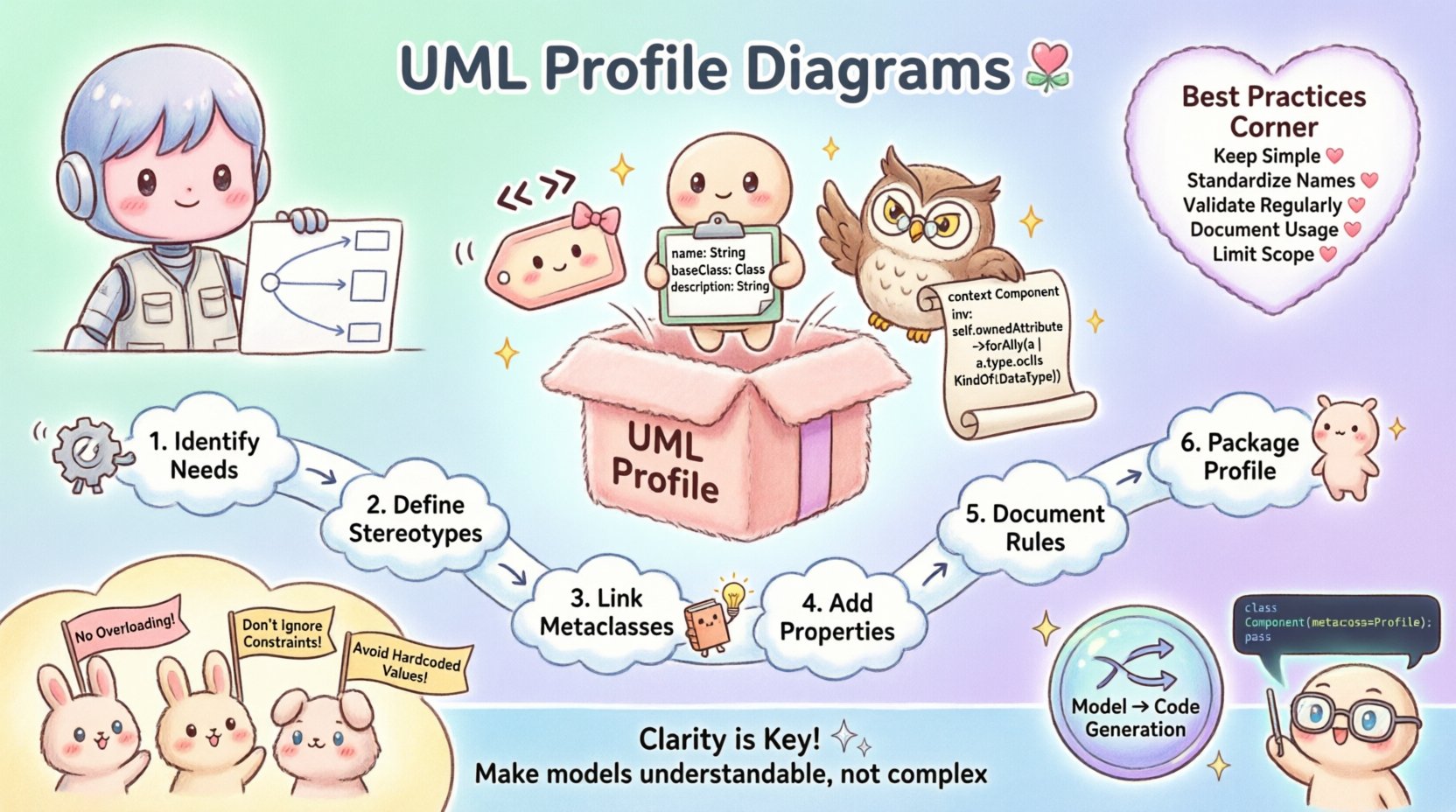
🏗️ Understanding the Core Architecture
Before creating a profile, it is necessary to understand the underlying mechanism. A UML profile is essentially a package that contains extensions. These extensions are applied to existing UML elements. The process involves defining new metaclasses and extending existing ones.
The Extension Mechanism
The extension mechanism works by attaching metadata to model elements. This metadata consists of three primary components:
- Stereotypes: These act as tags to classify elements. For example, marking a class as a
servicerather than just aclass. - Tags: These define specific properties or attributes for the element. They hold values like version numbers or deployment targets.
- Constraints: These define rules that must be satisfied. They can be expressed in natural language or formal languages like OCL (Object Constraint Language).
When you define a profile, you are creating a blueprint. This blueprint dictates how elements appear in diagrams and how they behave within the model. It does not change the execution logic directly but clarifies the intent.
Metamodel Relationships
Profiles interact with the UML metamodel. They extend the Classifier metaclass. This allows you to create specialized versions of classes, interfaces, or components. The relationship is hierarchical. The profile sits above the base model, adding layers of meaning.
🧩 Core Components of a Profile
To build a robust profile, you must assemble the correct components. Each component serves a distinct purpose in the modeling process.
Stereotypes
Stereotypes are the most visible part of a profile. They appear as text enclosed in guillemets (<< >>). They change the iconography of the element. For example, a standard class box becomes a specific shape when stereotyped as a database.
Creating a stereotype involves defining a name and a parent type. The parent type determines what base element the stereotype applies to. You can apply stereotypes to classes, packages, or associations.
Tags and Properties
Tags provide additional data fields. They are attached to the stereotype. A common use case is storing metadata about a component. For example, a @version tag on a service class.
When defining tags, specify the data type. Common types include String, Integer, or Boolean. This ensures data integrity within the model. It prevents users from assigning text to a field expecting a number.
Constraints
Constraints enforce business rules. They can be applied to the whole model or specific elements. A constraint might state that a specific relationship must exist between two classes.
Constraints are often written in a formal notation. This allows automated tools to verify the model. Even without tools, they serve as documentation for the intended logic.
🛠️ Building a Profile Step-by-Step
Creating a profile requires a structured approach. Follow these steps to ensure the profile is usable and maintainable.
- Identify Domain Needs: Analyze the software domain. Determine which concepts lack standard UML representation.
- Define Stereotypes: Create the names for your new classifications. Ensure they are descriptive and concise.
- Establish Relationships: Link stereotypes to existing UML metaclasses. Decide which base elements they extend.
- Add Properties: Define the tags and attributes associated with each stereotype.
- Document Constraints: Write the rules that govern the usage of the stereotypes.
- Package the Profile: Group all definitions into a single package. This makes distribution and versioning easier.
Example Scenario
Consider a microservices architecture. You need to distinguish between different types of services. A standard class definition does not show this.
Define a stereotype named <<API>> on the Class metaclass. Add a tag named endpoint of type String. Add a constraint stating that the class must have a public operation for each endpoint.
Now, every class marked with <<API>> has a defined contract. This improves clarity for all team members.
🔄 Managing Dependencies and Importing
Profiles often depend on other profiles. A complex system might have a security profile and a data profile. Managing these dependencies is crucial.
Importing Mechanisms
You can import elements from one profile into another. This avoids duplication. If the core profile defines a base stereotype, other profiles can extend it.
When importing, specify the source package. Ensure the path is accessible. Incorrect paths lead to broken models.
Version Control
Profiles evolve. A change in one profile might break another. Versioning is essential. Assign a version number to the profile package.
Document changes in a changelog. Note deprecated stereotypes and new additions. This helps developers migrate their models smoothly.
✅ Best Practices for Maintenance
Maintaining a profile requires discipline. Without it, the model becomes cluttered and confusing.
- Keep it Simple: Do not create stereotypes for every minor variation. Group similar concepts.
- Standardize Naming: Use consistent naming conventions. Avoid abbreviations that are not widely understood.
- Validate Regularly: Run validation checks on the model. Ensure constraints are met.
- Document Usage: Write guides for how to use the profile. Include examples of correct usage.
- Limit Scope: Do not make the profile too broad. It should solve specific problems in your domain.
🔧 Common Pitfalls to Avoid
Many developers encounter issues when implementing profiles. Recognizing these pitfalls early saves time.
| Pitfall | Consequence | Mitigation |
|---|---|---|
| Overloading Stereotypes | Confusion about element meaning | Define one stereotype per concept |
| Ignoring Constraints | Invalid model structures | Write explicit rules for all tags |
| Hardcoded Values | Difficulty in refactoring | Use tags for dynamic values |
| Missing Dependencies | Broken model imports | Check import paths before saving |
| Complex Tag Structures | Slow tool performance | Keep tag definitions minimal |
Another common issue is creating profiles that are too specific. If a profile only works for one project, it loses value. Aim for generalization where possible.
📊 Integration with Model-Driven Development
Profiles play a significant role in Model-Driven Development (MDD). MDD relies on abstract models to generate code. Profiles define the semantics of these models.
Code Generation
Code generators use stereotypes to determine output. A class with a <<Entity>> stereotype might generate a database table. A class with <<Controller>> might generate an API endpoint.
This separation of concerns allows developers to focus on logic. The profile defines the mapping between the model and the code.
Transformation Rules
Transformation engines read the profile to apply rules. They look for specific tags to inject boilerplate code. Properly defined tags ensure the generated code is correct.
Without a profile, the generator treats everything as a generic class. This results in verbose and less optimized code.
🧪 Testing and Verification
Once a profile is created, it must be tested. Verification ensures that the stereotypes work as intended.
Manual Review
Review the diagrams visually. Check if the icons render correctly. Ensure the text labels match the stereotype names.
Automated Checks
Use validation scripts to check the model. These scripts can verify that all required tags are present. They can also check for conflicting constraints.
Automated testing reduces human error. It ensures consistency across different team members.
📈 Scaling Profiles for Large Systems
As projects grow, profiles must scale. A single package might become unmanageable. Decomposition is necessary.
Sub-packages
Split the profile into sub-packages. Group stereotypes by functionality. For example, separate networking profiles from data storage profiles.
Modularization
Make profiles modular. Allow teams to use only the parts they need. This reduces cognitive load for developers.
Documentation Updates
Update documentation as the profile grows. Ensure new members understand the structure. Use diagrams to explain the relationships between sub-packages.
🎨 Visual Representation Guidelines
Diagrams should remain readable. The profile affects how elements look. Follow these visual guidelines.
- Icon Consistency: Ensure icons do not clash. Use distinct shapes for different stereotypes.
- Label Clarity: Keep labels short. Use tags for detailed information instead of cluttering the box.
- Color Usage: If supported, use colors to indicate status or type. Keep the palette limited.
- Layout: Arrange elements logically. Group related stereotypes together.
🔍 Troubleshooting Profile Issues
Issues may arise during implementation. Here is how to address common problems.
Stereotypes Not Showing
If stereotypes do not appear, check the profile import. Ensure the package is correctly referenced. Verify that the diagram is set to use the profile.
Constraint Violations
If constraints are violated, check the data values. Tags might contain invalid types. Review the OCL expressions for syntax errors.
Performance Issues
Slow model loading often indicates complex profiles. Simplify the tag definitions. Reduce the number of inheritance levels.
🚀 Future Considerations
The field of modeling is evolving. New standards may emerge. Keep profiles flexible.
- Interoperability: Design profiles to work with multiple tools. Avoid proprietary extensions.
- Cloud Integration: Consider how profiles map to cloud-native architectures.
- AI Assistance: Explore how AI tools might suggest profile extensions.
Staying updated ensures your models remain relevant. Adaptation is key to long-term success.
Final Considerations on Model Extensions
UML Profile Diagrams offer a powerful way to tailor modeling languages to specific needs. They bridge the gap between generic standards and domain reality. By following the techniques outlined here, developers can create robust, maintainable models.
Remember that the goal is clarity. A profile should make the model easier to understand, not more complex. Regular review and refactoring of the profile itself will ensure it continues to serve the project effectively. Focus on the structure, maintain the documentation, and prioritize usability over complexity.