


Unified Modeling Language (UML) serves as the cornerstone for software architecture and system design. It provides a standardized notation that allows teams to communicate complex structures visually. However, the standard UML notation is generic. It covers general software concepts but often lacks the specificity required for specialized domains like embedded systems, financial services, or medical devices. This is where the concept of a UML Profile Diagram becomes essential. It allows architects to extend the language without breaking the standard.
This guide provides a comprehensive look at UML Profile Diagrams. We will explore the underlying mechanics, how to construct them, and how to apply them effectively in large-scale projects. By understanding profiles, you ensure that your models remain flexible, domain-specific, and maintainable over time.
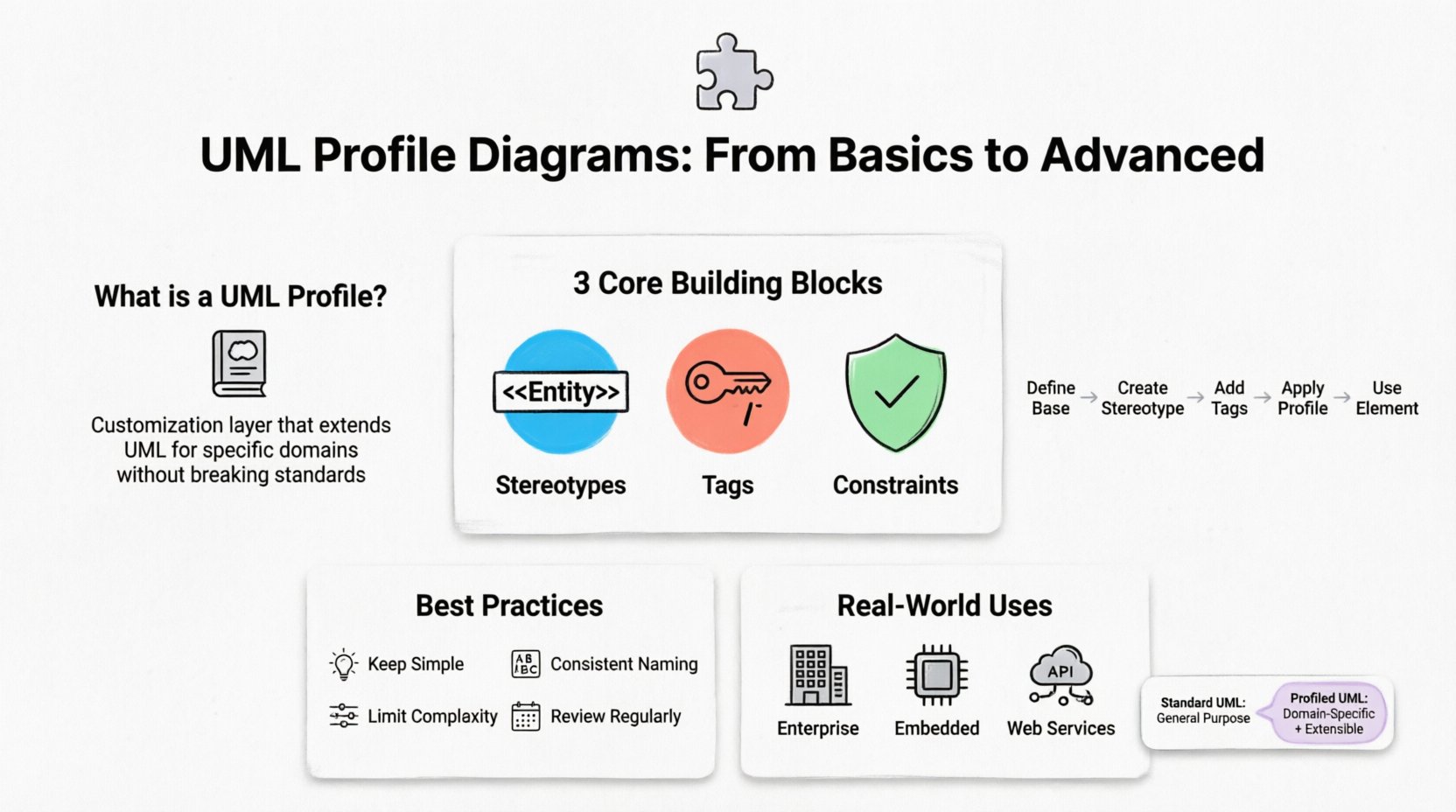
What Exactly is a UML Profile? 🧩
A UML profile is a mechanism within the UML specification designed to extend the language. It acts as a customization layer that allows you to define new modeling elements based on existing UML structures. Think of a profile as a dictionary that adds new words to the standard English language. The grammar remains the same, but the vocabulary expands to describe specific concepts relevant to your project.
Profiles do not replace the standard UML metamodel. Instead, they build upon it. When you create a profile, you are essentially defining a set of stereotypes, tags, and constraints that can be applied to standard UML elements. This process is known as metamodeling.
Key characteristics of a UML Profile include:
- Customization: It tailors UML to a specific domain or platform.
- Reusability: Once defined, a profile can be applied across multiple projects.
- Non-Destructive: It does not alter the core UML specification.
- Extensibility: It allows for the addition of new metadata to model elements.
The Core Building Blocks 🧱
Understanding the components of a profile is critical for creating effective diagrams. There are three primary elements that define the behavior and appearance of a profile.
1. Stereotypes
A stereotype is the most visible part of a profile. It defines a new category of element. In UML, stereotypes are displayed using guillemets, such as <<MyCategory>>. They modify the semantics of a standard UML element.
- Example: A standard
<<Class>>might be stereotyped as<<Entity>>in an object-oriented database context, or<<Service>>in a microservices architecture. - Function: It tells the modeler and the reader what specific role this element plays within the defined domain.
2. Tags (Properties)
Stereotypes often require additional information to be fully understood. Tags are user-defined attributes that can be attached to a stereotype. They function like metadata or properties on a standard class attribute.
- Example: A
<<DatabaseTable>>stereotype might have a tag namedprimary_keywith a value oftrue. - Function: Tags provide the data that defines the specific configuration of the element.
3. Constraints
Constraints are rules that restrict the allowable values or relationships of model elements. They are often expressed using the Object Constraint Language (OCL) or natural language text.
- Example: A constraint on a
<<Component>>might state that it cannot be modified without a review process. - Function: Constraints ensure data integrity and adherence to architectural standards.
Anatomy of a Profile Diagram 🗺️
A UML Profile Diagram is a specialized package diagram. It visualizes the structure of the profile itself. It shows how the stereotypes, tags, and constraints relate to the base UML metaclasses.
When designing this diagram, you will typically see the following elements:
- Profile Package: The root container for the profile definition. It is marked with the stereotype
<<profile>>. - Metaclasses: References to standard UML elements (e.g., Class, Association, Component) that the profile extends.
- Dependency Relationships: Arrows indicating that the new stereotype depends on the base metaclass.
- Profile Extensions: The specific definitions of the new stereotypes.
The diagram does not show the model elements using the profile. Instead, it shows the definition of the profile. The actual usage occurs in a separate model diagram where the profile is applied.
How Profiles Extend UML 🔄
The extension mechanism is the core value proposition of UML profiles. Standard UML elements have a fixed structure defined by the Object Management Group (OMG). You cannot add new attributes to a standard Class element directly. A profile bypasses this limitation.
Here is the workflow of extension:
- Define the Base: Identify which standard UML element needs modification (e.g., Class).
- Create the Stereotype: Create a new stereotype that inherits from the base element.
- Add Tags: Attach custom attributes to the stereotype to hold domain-specific data.
- Apply the Profile: Load the profile into the modeling environment.
- Use the Element: Apply the stereotype to an element in the model. The element now possesses the base properties plus the new tags.
This process allows a system architect to create a <<WebPage>> stereotype that inherits from <<Class>> but includes tags for URL and HTTP_Method. The modeler can now document web-specific details without leaving the UML framework.
Step-by-Step Creation Process ⚙️
Creating a profile requires a structured approach to ensure consistency. While tools may vary, the logical steps remain the same.
Step 1: Define the Scope
Before drawing anything, determine the domain. Is this for a cloud architecture? A database schema? A specific programming language? The scope dictates which UML elements need extension. Do not create a profile for every small detail; focus on high-level architectural concepts.
Step 2: Identify Metaclasses
Select the UML metaclasses that will serve as the foundation. Common choices include Class, Component, Association, and UseCase.
Step 3: Create Stereotypes
Define the names of the new stereotypes. Use clear, descriptive naming conventions. Avoid abbreviations unless they are industry standards. For example, use <<Repository>> instead of <<Repo>>.
Step 4: Define Tags and Constraints
For each stereotype, list the necessary tags. Specify the data type for each tag (e.g., String, Boolean, Integer). Define any constraints that limit the values of these tags.
Step 5: Structure the Package
Organize the stereotypes into packages. If you have a large profile, split it into sub-profiles to manage complexity. For example, a “Security Profile” might contain sub-packages for “Authentication” and “Authorization”.
Step 6: Document the Profile
Create documentation explaining the purpose of each stereotype. This is crucial for onboarding new team members. A profile is a contract between the modeler and the reader; without documentation, it is just noise.
Advanced Techniques 🏗️
Once the basics are understood, you can implement more sophisticated modeling strategies. These techniques help manage complexity in large enterprises.
Profile Inheritance
Just as classes inherit from other classes, profiles can inherit from other profiles. This allows you to build a hierarchy of profiles. For instance, you might have a generic <<System>> profile. You can then create a <<WebSystem>> profile that inherits from <<System>> and adds web-specific tags. This reduces redundancy.
Profile Integration
Large systems often require multiple profiles. A financial application might need a <<Data>> profile and a <<Transaction>> profile. You can import one profile into another to combine their capabilities. This creates a unified language for the entire system.
Profile Versioning
Profiles evolve. A tag might be deprecated, or a new constraint might be added. It is vital to version your profiles. When a profile is updated, existing models must be checked for compatibility. Tools often support profile versioning to track these changes over time.
Best Practices for Sustainable Modeling 🛡️
To ensure your UML profiles remain useful, follow these guidelines. Poorly designed profiles lead to confusion and model drift.
- Keep It Simple: Do not create a stereotype for every minor variation. If a concept can be represented with standard UML, do it. Only profile when necessary.
- Consistent Naming: Use a consistent prefix or suffix for all stereotypes in the profile. This makes them easy to identify visually.
- Limit Tag Complexity: Avoid creating tags that require complex calculations. Keep tags simple data fields. Complex logic belongs in the code, not the diagram.
- Visual Clarity: Ensure the profile diagram is readable. Use grouping packages to separate related stereotypes.
- Review Regularly: Treat the profile as living documentation. Review it during architecture reviews to ensure it matches the actual implementation.
Common Pitfalls to Avoid ⚠️
Even experienced architects make mistakes when defining profiles. Being aware of these common issues can save significant time.
- Over-Extension: Creating too many custom notations makes the model unique to your team but unusable by others. Stick to standard UML whenever possible.
- Ignoring Constraints: Defining a stereotype without defining constraints often leads to models that are semantically incorrect.
- Lack of Documentation: A profile without a description is useless. Future maintainers will not understand why a tag exists.
- Tool Dependency: Avoid defining profiles in a way that ties them to a specific software vendor. Use standard UML mechanisms to ensure portability.
Real-World Applications 🌍
UML profiles are not just theoretical concepts. They are widely used in industry. Here are common scenarios where they add value.
Enterprise Architecture
Large organizations often use profiles to map IT systems to business capabilities. A profile might define stereotypes like <<Capability>> or <<Process>> to align technical models with business strategy.
Embedded Systems
In embedded engineering, profiles define hardware-specific attributes. A <<Microcontroller>> stereotype might include tags for memory address, interrupt priority, and pin configuration. This allows the model to drive code generation directly.
Web Services
API architects use profiles to define RESTful resources. Stereotypes can indicate the HTTP method (GET, POST) and the payload structure. This bridges the gap between design and implementation.
Comparison: Standard UML vs. Profiled UML
The following table highlights the differences between standard modeling and profiled modeling.
| Feature | Standard UML | Profiled UML |
|---|---|---|
| Scope | General purpose | Domain specific |
| Elements | Fixed set (Class, Interface, etc.) | Extensible (Stereotypes) |
| Metadata | Limited to standard properties | Custom Tags and Attributes |
| Flexibility | Low | High |
| Complexity | Lower for simple systems | Higher setup, lower for complex systems |
| Readability | Requires UML knowledge | Requires Domain knowledge |
Conclusion
UML Profile Diagrams provide the necessary flexibility to adapt the modeling language to real-world needs. By defining stereotypes, tags, and constraints, architects can create a vocabulary that accurately reflects their specific domain. This guide has covered the fundamental mechanics, the creation process, and the advanced strategies required to manage complex profiles.
When implemented correctly, profiles transform UML from a static notation into a dynamic tool for system definition. They ensure that models are not just pictures, but precise specifications that drive development, testing, and maintenance. As you design your next system, consider whether a profile can help bridge the gap between generic modeling and specific implementation requirements.