


In the landscape of software architecture and system design, the Unified Modeling Language (UML) stands as a foundational standard. However, standard UML is not always sufficient for every specific domain or industry requirement. This is where the UML Profile Diagram becomes an indispensable tool. A profile allows architects to extend the standard language without altering the core metamodel. It introduces a layer of customization that enables domain-specific modeling, ensuring that diagrams remain both semantically accurate and technically relevant to the project at hand.
This guide explores the mechanics, structure, and strategic application of UML profiles. We will examine how stereotypes, tagged values, and constraints function together to create a tailored modeling language. By understanding these mechanisms, technical teams can improve consistency, reduce ambiguity, and streamline the development lifecycle.
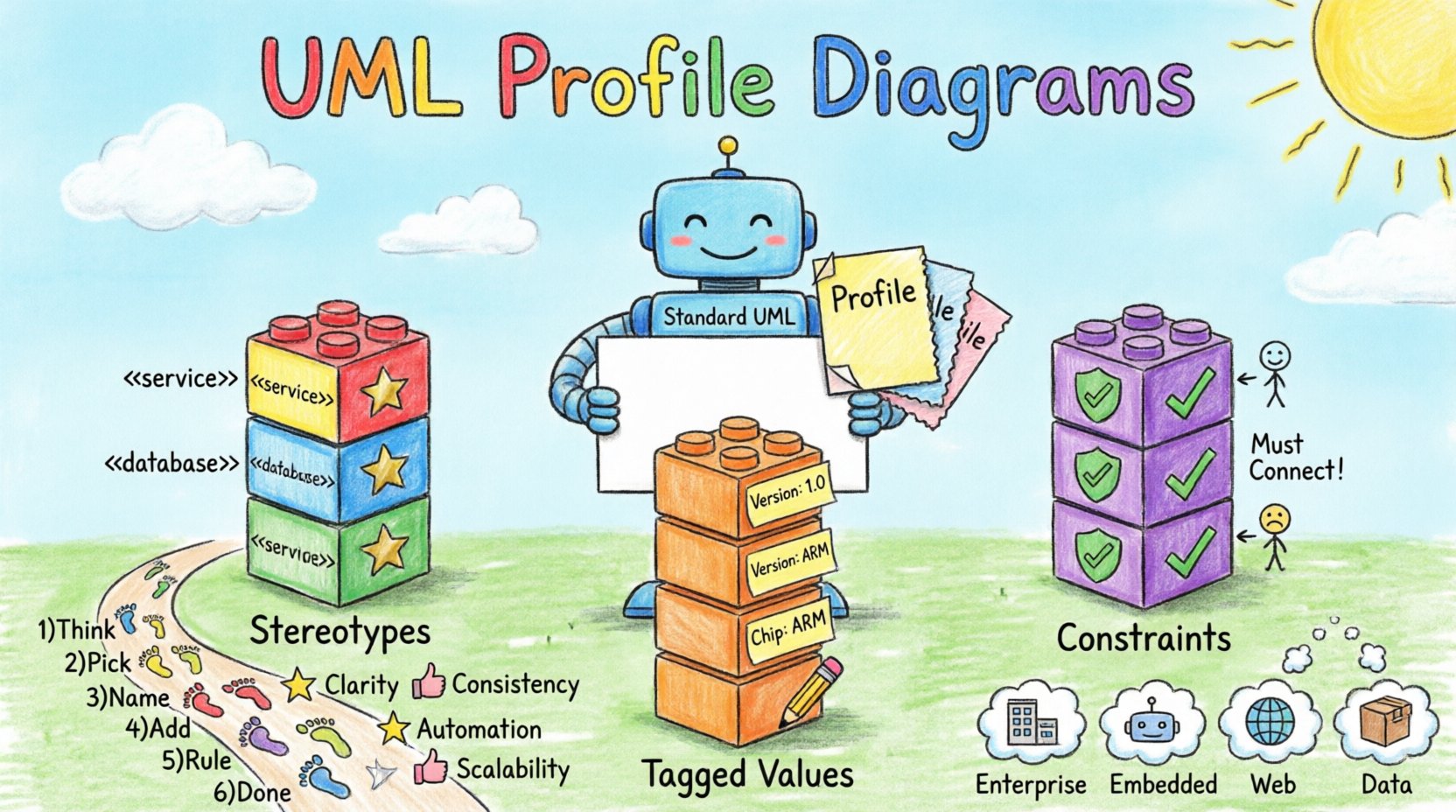
🔍 What is a UML Profile?
A UML Profile is a mechanism for customizing the UML language itself. It is essentially a package of extensions that define new concepts or modify existing ones. Think of it as a plug-in for the modeling language. Instead of forcing a project to fit a generic mold, a profile adapts the mold to fit the project.
Profiles are particularly useful in Model Driven Architecture (MDA). They bridge the gap between abstract system designs and concrete implementation platforms. By defining a profile, teams can create a vocabulary specific to their business domain or technology stack.
Key Characteristics
- Non-Destructive: Profiles do not change the base UML metamodel. They add to it.
- Reusability: Once defined, a profile can be applied to multiple models or projects.
- Extensibility: They allow for the definition of new stereotypes, tagged values, and constraints.
- Validation: They enable the definition of rules that ensure model consistency.
🧩 Core Components of a UML Profile
Understanding the anatomy of a profile is crucial for effective implementation. A profile is built upon three primary pillars: stereotypes, tagged values, and constraints. These elements work in tandem to enrich the model.
1. Stereotypes 🏷️
A stereotype is a mechanism to classify elements. It is the most visible part of a profile. When you see a small text label above an icon, such as <
Stereotypes allow modelers to use domain-specific terminology. Instead of labeling a class as a “Service” generically, a profile might define <
2. Tagged Values 📝
Tagged values are pairs of key-value attributes attached to model elements. While standard UML classes have properties like visibility and type, they lack custom metadata. Tagged values fill this gap.
For example, a profile for an embedded systems project might define a tagged value called “microcontroller” with a type of “String”. This allows every class representing a hardware component to carry specific data about the chip it runs on, without cluttering the standard class diagram with extra attributes.
3. Constraints ⚖️
Constraints define rules or restrictions that apply to model elements. They ensure that the model adheres to specific business logic or technical requirements. Constraints are often expressed using the Object Constraint Language (OCL), though they can be described in natural language within the profile definition.
A constraint might dictate that a <
| Component | Purpose | Example Usage |
|---|---|---|
| Stereotype | Classifies elements | Marking a class as < |
| Tagged Value | Adds custom metadata | Setting “Version” to “1.0” on a module |
| Constraint | Enforces rules | Ensuring a < |
🏗️ Structural Composition of a Profile
Creating a profile requires a structured approach. It is not merely a collection of icons; it is a formal extension of the UML metamodel. The structure typically involves the following logical layers.
The Metaclass Extension
Every stereotype is associated with a metaclass from the base UML language. For instance, a stereotype might extend the Class metaclass. This relationship defines which standard elements can accept the new stereotype. If you extend the Component metaclass, only components can be stereotyped, not associations or use cases.
When defining a profile, you must explicitly declare this extension. This ensures that the modeling tool understands the hierarchy and scope of the new definition.
The Profile Package
Profiles are encapsulated within a specific package structure. This package contains the definitions of the stereotypes, tagged values, and constraints. It is distinct from the model package where the actual diagrams reside. This separation of concerns is vital for maintenance.
- Profile Package: Contains the definitions (the rules).
- Model Package: Contains the instances (the diagrams).
Applying a profile to a model involves linking the model package to the profile package. This makes the definitions available for use within the model.
Dependencies and Relationships
Profiles often rely on other profiles or standard UML packages. A complex profile might extend a profile designed for web services, which in turn relies on standard networking stereotypes. Managing these dependencies is critical to avoid circular references or conflicting definitions.
🚀 Application in Model Driven Architecture (MDA)
The true power of UML profiles is realized in the context of Model Driven Architecture. MDA separates the system design into different levels of abstraction. Profiles play a pivotal role in these transitions.
Platform Specific Models (PSM)
In MDA, the Platform Specific Model represents the system design tailored for a specific technology stack. A UML profile is the primary mechanism for this tailoring. For example, a Java-based profile might define stereotypes for Enterprise Java Beans (EJB), while a .NET profile would define stereotypes for Web Services.
By applying the correct profile, the modeler can annotate the platform-independent model with details required for the specific platform. This annotation process is what allows automated code generation tools to function effectively.
Domain Specific Languages (DSL)
Profiles are often used to create lightweight Domain Specific Languages within the modeling environment. Instead of learning a new coding language for a specific domain, developers can learn a UML profile tailored to that domain. This lowers the barrier to entry for complex system designs.
For instance, a banking domain profile might include stereotypes like <
🛠️ Conceptual Implementation Workflow
Developing a robust profile requires a systematic workflow. While specific tools vary, the conceptual steps remain consistent across modeling environments.
Step 1: Analyze Requirements
Begin by identifying the gaps in the standard UML language for your project. What concepts are missing? What terminology does the business use that UML does not support? Document these needs clearly.
Step 2: Define Metaclasses
Identify which standard UML elements need to be extended. Will you be extending Classes? Interfaces? Components? Be precise here to avoid over-complicating the model.
Step 3: Create Stereotypes
Define the names and icons for your new stereotypes. Ensure they follow a consistent naming convention. Using a consistent icon style helps users quickly identify the type of element they are viewing.
Step 4: Add Tagged Values
Define the metadata that needs to be tracked. Specify the data types for each tagged value. Common types include strings, integers, booleans, and enumerations. Avoid overly complex nested types unless absolutely necessary.
Step 5: Establish Constraints
Write the rules that govern the usage of your stereotypes. Use OCL where possible for precision. Document these constraints in plain language as well, to ensure accessibility for all team members.
Step 6: Package and Apply
Encapsulate all definitions into the profile package. Apply this package to your model. Verify that the new elements appear correctly in the diagram canvas and that the validation rules trigger as expected.
✅ Best Practices for Profile Governance
A poorly managed profile can become a source of confusion. To maintain clarity and utility, adhere to the following governance strategies.
- Naming Conventions: Use prefixes for stereotypes to distinguish them from standard elements. For example, use
MyDomain::Serviceto indicate ownership. - Documentation: Every profile should have a dedicated documentation section. Explain the purpose of each stereotype and the business rule behind each constraint.
- Versioning: Treat profiles as software artifacts. Version them when changes are made. This allows teams to track how the modeling language evolved over time.
- Minimalism: Do not create a stereotype for every minor variation. If it does not change the semantics or behavior significantly, stick to the standard UML.
- Validation: Regularly audit models against the profile constraints. Automated checks can prevent the accumulation of invalid models.
⚠️ Challenges and Limitations
While powerful, UML profiles introduce complexity. Teams must be aware of the potential pitfalls.
Tool Compatibility
Not all modeling tools support profiles equally. Some tools may struggle with complex extensions or may not support OCL constraints fully. When selecting a modeling environment, verify its profile support capabilities.
Learning Curve
Standard UML is already a steep learning curve. Adding a custom profile requires training. Team members must understand not just the base language, but the specific extensions and rules defined by the profile.
Maintenance Overhead
As the system evolves, the profile must evolve with it. If the business logic changes, the constraints and tagged values may need updating. Neglecting profile maintenance leads to drift between the model and the reality.
Over-Engineering
There is a risk of creating a profile that is too rigid. If the profile dictates too many rules, it stifles creativity and flexibility. It is better to allow some deviation than to enforce rules that do not match the actual project needs.
📊 Real-World Use Cases
Profiles are not theoretical constructs; they are used extensively in industry.
- Enterprise Architecture: Profiles define standards for business capabilities, applications, and infrastructure layers. This ensures alignment with frameworks like TOGAF.
- Embedded Systems: Profiles specify hardware constraints, memory limits, and communication protocols. This is critical for safety-critical systems.
- Web Development: Profiles define patterns for RESTful services, microservices, and API gateways. This helps maintain architectural consistency across large teams.
- Data Modeling: Profiles can define specific data types for regulatory compliance, such as PII (Personally Identifiable Information) handling.
❓ Frequently Asked Questions
Can I modify the base UML metamodel?
No. Profiles are designed to extend the metamodel without modifying its core structure. This ensures backward compatibility with standard UML tools.
Do I need a specific tool to use profiles?
You need a modeling tool that supports the UML Profile mechanism. Most professional modeling environments include this feature, but lightweight text editors may not.
How do I share a profile with other teams?
Profiles are typically packaged as separate files or libraries. You can distribute these packages so that other teams can import and apply them to their models.
What is the difference between a Profile and a Package?
A Package is a container for grouping elements. A Profile is a specific type of package that contains definitions for extending the UML language. All profiles are packages, but not all packages are profiles.
🔧 Summary of Profile Benefits
Implementing UML profiles offers several strategic advantages for software engineering teams.
- Consistency: Ensures all models follow the same structural rules.
- Clarity: Uses domain-specific language that stakeholders understand.
- Automation: Enables code generation and validation based on defined rules.
- Scalability: Allows the modeling language to grow with the organization.
By adopting a disciplined approach to profile creation, teams can create a modeling environment that is robust, adaptable, and aligned with business goals. The effort invested in defining these extensions pays dividends in reduced errors and clearer communication.
🚀 Final Thoughts on UML Customization
The flexibility of the Unified Modeling Language lies in its ability to be customized. The UML Profile Diagram is the vehicle for this customization. It transforms a generic diagramming standard into a specialized engineering tool. Whether you are designing a complex distributed system or a simple web application, a well-crafted profile provides the structure needed to manage complexity.
Focus on the needs of your domain. Define the stereotypes that matter. Enforce the constraints that ensure quality. And remember that the goal is not to make the model more complex, but to make the model more expressive. With the right profile, your diagrams become a true reflection of your system.