


In the complex landscape of software engineering, clarity is the most valuable currency. As systems grow in scale and distributed architectures become the norm, the ability to visualize flow and logic without getting lost in implementation details is paramount. This is where the Interaction Overview Diagram (IOD) steps in. For a Solution Architect, this specific type of UML diagram is not just a drawing exercise; it is a strategic tool for communication, risk mitigation, and design validation.
The modern solution architect faces a constant challenge: translating business requirements into technical reality while ensuring all stakeholders understand the journey. Static diagrams often fail to capture the dynamic nature of execution. The Interaction Overview Diagram bridges this gap, offering a high-level view of control flow while allowing for detailed interaction breakdowns where necessary. This guide explores why this diagram is indispensable in the toolkit of a professional architect.
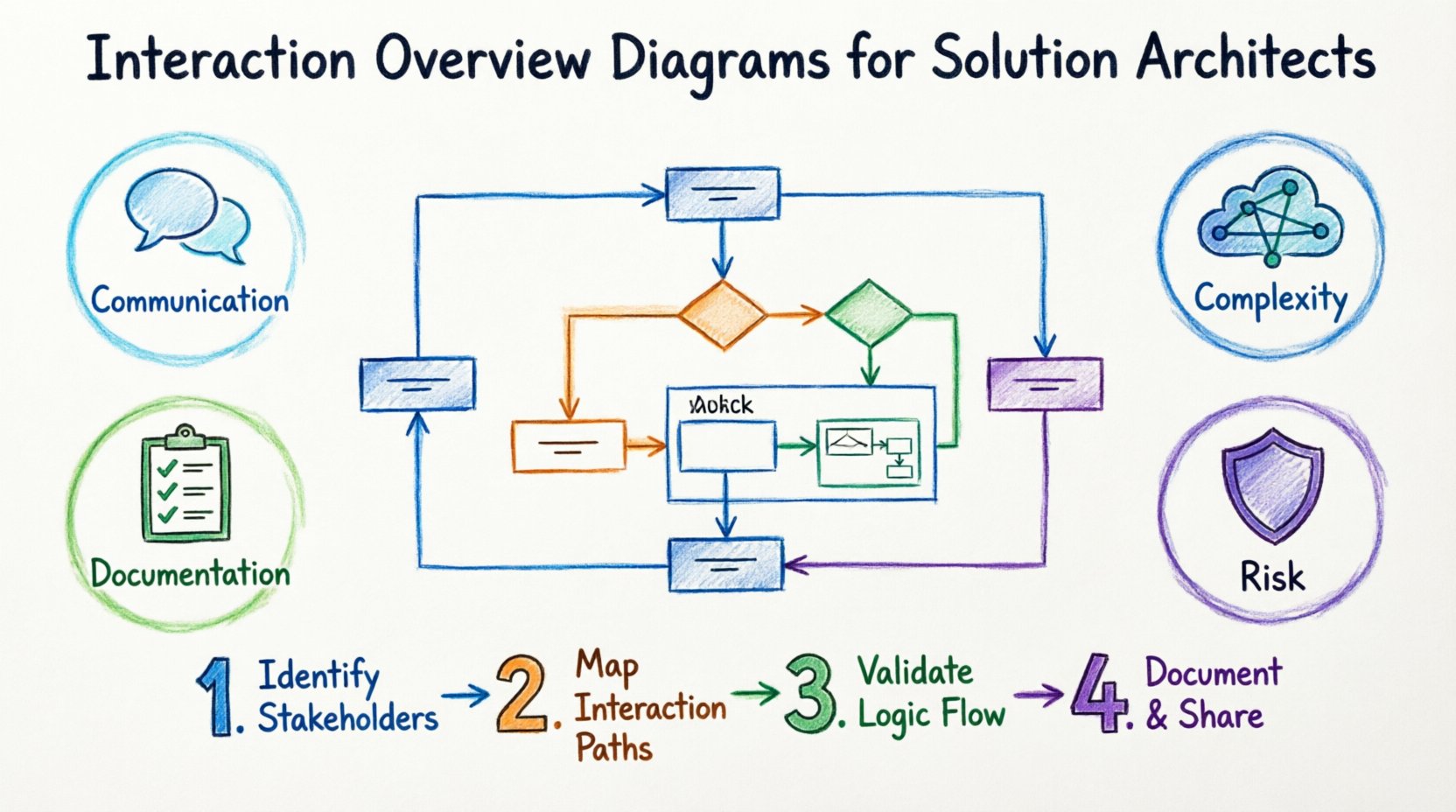
Understanding the Interaction Overview Diagram 📊
An Interaction Overview Diagram is a behavioral diagram in the Unified Modeling Language (UML). It combines elements of Activity Diagrams and Sequence Diagrams to create a hybrid view. While an Activity Diagram shows the flow of control between activities, and a Sequence Diagram details the message exchange between objects over time, the IOD sits in the middle.
It provides a macro view of the system’s interaction logic. Imagine you are designing a microservices architecture. You have a service for Order Processing, one for Inventory, and another for Payment. A Sequence Diagram for the entire end-to-end flow could become unwieldy, spanning dozens of pages. An IOD allows you to outline the steps—Order Received → Inventory Check → Payment Processing → Fulfillment—and then embed specific Sequence Diagrams for complex steps like Payment Processing.
Key Characteristics
- Control Flow Focus: It emphasizes the order of operations rather than just object messaging.
- Modularity: It allows you to reference other diagrams, keeping the main view clean.
- Decision Logic: It clearly shows branching paths, loops, and merge points.
- Object Flow: It can show the creation and destruction of objects across interactions.
For a Solution Architect, this modularity is crucial. It allows you to present a strategic roadmap without overwhelming the audience with low-level details immediately. You can zoom in on specific areas when the conversation demands it.
Why This Diagram is Critical for Solution Architects 🤔
The role of a Solution Architect involves synthesizing requirements, constraints, and technical capabilities into a cohesive blueprint. The Interaction Overview Diagram supports this role in several distinct ways. It is not merely documentation; it is a thinking tool.
1. Bridging the Communication Gap 🗣️
One of the biggest hurdles in software projects is the disconnect between business stakeholders and engineering teams. Business leaders care about processes and outcomes. Engineers care about protocols, APIs, and state management. An IOD speaks both languages.
- For Business: It looks like a flowchart. They understand the steps, the decisions, and the flow from start to finish.
- For Engineers: It indicates where objects interact, where data is passed, and where logic branches occur.
By using a standardized visual language, you reduce the cognitive load required to understand the system. This reduces the number of meetings needed to clarify requirements.
2. Managing Complexity in Distributed Systems ⚙️
Modern architectures are rarely monolithic. They are distributed across cloud environments, on-premise servers, and third-party APIs. Managing the state of a request as it hops between these boundaries is difficult.
An Interaction Overview Diagram helps map the lifecycle of a transaction. It answers questions like:
- Does the system wait for the third-party API response before proceeding?
- What happens if the inventory service times out?
- Are there parallel processes running?
Without this visual aid, these questions are often answered verbally or in text, leading to gaps in understanding. The IOD forces you to think through the control flow explicitly.
3. Facilitating Early Risk Identification 🛡️
It is much cheaper to change a diagram than to refactor code. When you visualize the interaction overview early in the design phase, you can spot logical dead-ends, infinite loops, or missing error handling paths.
For example, you might notice that a specific decision node has no “False” branch. In a live system, this could lead to unhandled exceptions. Identifying this during the diagramming phase prevents production incidents later.
4. Standardizing Documentation 📝
Consistency is key for long-term maintainability. When multiple architects or development teams work on the same ecosystem, having a standard for how interactions are documented ensures that anyone can pick up the design and understand it.
The Interaction Overview Diagram provides that standard. It defines a clear convention for how high-level flows are represented, making the documentation asset reusable and understandable years down the line.
Core Components of an Interaction Overview Diagram 🧩
To use this tool effectively, one must understand its building blocks. While it shares features with other UML diagrams, its specific elements serve a unique purpose in solution architecture.
Control Nodes
These are the decision points in your flow. They determine which path the process takes next.
- Fork: Splits the flow into parallel activities. Useful for showing concurrent tasks.
- Join: Merges parallel flows back into a single path. Ensures all parallel tasks are complete before proceeding.
- Decision: A diamond shape representing a conditional check (e.g., Is Balance > 0?).
- Initial Node: The starting point of the interaction.
- Final Node: The successful termination of the interaction.
Interaction Nodes
These are the core actions or sequences within the flow. They are represented by rounded rectangles.
- Sequence Diagram: A reference to a detailed Sequence Diagram.
- Use Case: A reference to a specific use case scenario.
- Operation Call: A call to a specific method or function.
By nesting detailed diagrams within these nodes, you maintain a clean hierarchy. The main diagram shows the “What” and “When,” while the nested diagrams show the “How.”
Comparison: IOD vs. Other Diagrams 📑
Choosing the right diagram is part of the architectural process. Using a Sequence Diagram for everything can be overwhelming. Using an Activity Diagram for everything can lack object context. Here is how the Interaction Overview Diagram fits into the broader ecosystem.
| Diagram Type | Primary Focus | Best Used For | Limitation |
|---|---|---|---|
| Interaction Overview Diagram | Control flow of interactions | High-level system logic with embedded detail | Less focus on timing details |
| Sequence Diagram | Message exchange over time | Deep dive into specific object interactions | Becomes messy for complex branching |
| Activity Diagram | Workflow and business logic | Business processes and state transitions | Lacks object-level messaging context |
| Component Diagram | Structural relationships | Physical deployment and module structure | Does not show dynamic behavior |
As the table shows, the Interaction Overview Diagram occupies a sweet spot. It is more dynamic than a Component Diagram but less granular than a Sequence Diagram. This makes it ideal for the Solution Architect who needs to oversee the big picture while retaining the ability to drill down.
Implementation Steps for Architects 🛠️
Creating an effective Interaction Overview Diagram is a process. It requires discipline and adherence to best practices to ensure the diagram remains useful throughout the project lifecycle.
Step 1: Define the Scope and Boundaries
Before drawing a single line, define what the diagram covers. Are you modeling a single feature? A full transaction? A specific user journey? Setting boundaries prevents the diagram from becoming a “big ball of mud” that is impossible to read.
- Identify the trigger event (e.g., User clicks Checkout).
- Identify the success state (e.g., Order Confirmed).
- Identify the actors involved (e.g., Customer, Payment Gateway, Inventory Service).
Step 2: Map the High-Level Flow
Start with the control nodes. Place the initial node, then map the major steps using interaction nodes. Do not worry about the internal details yet. Just establish the path.
- Use Fork/Join nodes for parallel processes.
- Use Decision nodes for conditional logic.
- Ensure every path leads to a final node or a known error state.
Step 3: Refine with Nested Details
Once the high-level flow is stable, expand the complex nodes. Where the flow is intricate, link to a detailed Sequence Diagram or Activity Diagram. This keeps the main view readable.
- Label nested diagrams clearly.
- Ensure the entry and exit points of the nested diagram match the parent node.
- Keep the nesting depth to a maximum of two or three levels to avoid cognitive overload.
Step 4: Review and Validate
A diagram is only as good as its accuracy. Conduct a walkthrough with the development team. Ask them to trace the flow. Does it match their mental model? Are there any implicit assumptions you made that need to be explicit?
Common Pitfalls to Avoid ⚠️
Even experienced architects can make mistakes when modeling interactions. Being aware of common traps helps maintain the quality of your documentation.
1. Over-Engineering the Diagram
It is tempting to include every possible edge case in the main diagram. Resist this. If a scenario is rare, document it in the nested details or a separate specification. The main overview should show the happy path and major exceptions.
2. Ignoring Error Handling
Many diagrams only show the successful flow. In production, errors are the norm, not the exception. Ensure your Interaction Overview Diagram includes paths for timeouts, failures, and retries. This is critical for resilience architecture.
3. Mixing Levels of Abstraction
Do not mix high-level business steps with low-level API calls in the same visual space. Keep the control flow abstract. Let the nested diagrams handle the API specifics. This maintains the diagram’s utility as a communication tool.
4. Inconsistent Notation
Stick to standard UML symbols. If you use a custom shape for a decision, document it. Consistency ensures that anyone reading the diagram in six months understands it without a legend.
Real-World Scenarios for Application 🌍
Where do you see the Interaction Overview Diagram providing the most value? Let us look at specific architectural contexts.
Scenario 1: Microservices Orchestration
In a microservices environment, orchestration is key. You need to know which service calls which and in what order. An IOD can map the saga pattern or choreography patterns visually. It helps identify where you need a Saga Coordinator and where you can rely on events.
Scenario 2: Legacy System Migration
When migrating from a monolith to a cloud-native architecture, understanding the existing interaction flow is vital. You can model the legacy behavior using IODs to ensure the new system replicates the logic accurately before deployment.
Scenario 3: API Gateway Design
API Gateways manage traffic, security, and routing. An Interaction Overview Diagram can illustrate the request lifecycle through the gateway. It shows authentication checks, rate limiting, and routing decisions in a single view.
Scenario 4: Third-Party Integrations
Integrating with external vendors introduces uncertainty. An IOD helps map the handshake process. It highlights where you need to handle asynchronous callbacks versus synchronous responses, ensuring the system does not hang waiting for a response.
The Role of Automation in Diagramming 🤖
While the creation of the diagram is a manual cognitive task, the maintenance can be aided by automation. Some modern modeling tools allow for code generation from diagrams or vice versa. However, the architect must remain the source of truth.
Automation should not replace the thinking process. A diagram generated from code often lacks the context and design intent that a human architect adds. The IOD is a design artifact, not just a reverse-engineered output. It should be created during the design phase to guide development, not after.
Best Practices for Long-Term Maintenance 🔄
Documentation decays. As features change, diagrams become outdated. To keep your Interaction Overview Diagrams useful:
- Version Control: Treat diagrams like code. Store them in your repository with commit messages explaining changes.
- Review Cycles: Include diagram reviews in your Sprint Retrospectives. If a flow changed in code, the diagram must reflect it.
- Single Source of Truth: Decide if the diagram drives the code or if the code drives the diagram. Ideally, they evolve together, but the diagram should be updated whenever the architecture changes significantly.
- Accessibility: Ensure the diagrams are accessible to all team members, not just the architects. Use tools that allow easy viewing without complex software installations.
Integrating with Other Architectural Artifacts 🔗
The Interaction Overview Diagram does not exist in a vacuum. It is part of a larger ecosystem of architectural documentation.
- Context Diagrams: Use these to show where the system fits in the broader enterprise before diving into the IOD.
- Component Diagrams: Use these to define the boundaries of the nodes you are interacting with in the IOD.
- Deployment Diagrams: Use these to understand where the interactions physically occur (e.g., cross-region calls).
- Data Flow Diagrams: Use these to complement the IOD by showing how data moves, whereas the IOD shows how control moves.
By linking these artifacts, you create a cohesive narrative of the system. The IOD acts as the bridge between the static structure (Components) and the dynamic behavior (Sequence).
Final Thoughts on Architectural Communication 💡
The complexity of modern software systems demands tools that can manage that complexity without adding to it. The Interaction Overview Diagram is one such tool. It offers a balance between abstraction and detail that is often missing in other modeling techniques.
For the Solution Architect, investing time in creating high-quality Interaction Overview Diagrams pays dividends. It reduces ambiguity, aligns teams, and highlights risks before code is written. In an era where speed and accuracy are both required, the ability to visualize flow is a competitive advantage.
As you continue to design solutions, consider the Interaction Overview Diagram not as an optional extra, but as a fundamental component of your design process. It clarifies the path forward, ensuring that the architecture you build is robust, maintainable, and aligned with the needs of the business.
Start mapping your flows today. The clarity you gain will be the foundation of your next successful project.