


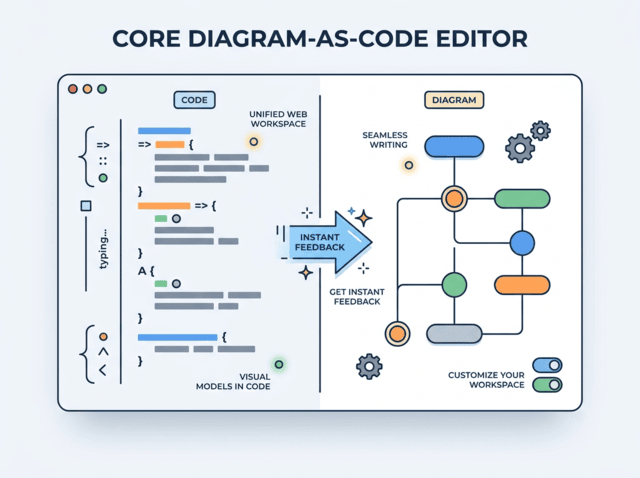
In the rapidly evolving landscape of software architecture, the gap between abstract thinking and concrete documentation often leads to inefficiencies. This is where the paradigm of “Diagram-as-Code” shines. By treating visual models as text, developers and architects gain version control, collaboration benefits, and the ability to automate diagram generation. Based on the advanced capabilities of the Core Diagram-as-Code Editor, this tutorial explores how to leverage a unified web workspace to build, refine, and deploy visual models with unprecedented speed.
The Philosophy of Visual Models in Code
Traditionally, diagramming tools have been static, WYSIWYG (What You See Is What You Get) environments where dragging and dropping nodes often leads to manual formatting issues. The Core Diagram-as-Code Editor flips this script. It is designed around a “Unified Web Workspace” where the primary interface is text-based, yet the output is a fully rendered, professional-grade visual map.
This approach relies on structural scripting syntax. Instead of clicking buttons, you define the relationships, logic, and hierarchy of your system using a specific textual format. The editor’s core intelligence lies in its ability to parse this syntax in real-time, translating your code into a visual representation instantly.
Key Features of the Unified Workspace
Automatic Format Detection
One of the most significant hurdles in adopting a new tool is the learning curve associated with proprietary syntax. However, the modern Core Diagram-as-Code Editor mitigates this through Automatic Format Detection. The workspace is intelligent enough to identify your structural scripting syntax on the fly. This means you can focus on the logical structure of your model without worrying about complex configuration files or specific file extensions.
Real-Time Preview & Instant Feedback
The hallmark of this editor is the Real-Time Preview loop. When you type, the diagram renders. As you refine your code, the visual map updates instantly. This “Seamless Writing” experience allows for an iterative design process where you can see the immediate impact of adding a new node or changing a connection line. It bridges the gap between writing and designing, allowing for a flow state that is difficult to achieve with traditional graphical editors.
Customizable Themes and Formatting
While the code defines the logic, the editor handles the aesthetics. The workspace offers Flexible Formatting and Themes, allowing you to switch between light and dark modes to suit your environment. You can choose custom chart themes to match your organization’s branding and rely on automated code neatening to ensure your charts and schemas remain readable and organized.
Workflow: From Text to Vector Graphics
The workflow within the Core Diagram-as-Code Editor is designed for both individual creators and collaborative teams. Once your diagram is complete, the editor supports Seamless Sharing and Exporting.
- High-Quality Export: Download your work as vector SVGs for scalable graphics or high-resolution PNGs for documentation.
- Collaborative Review: Generate collaborative web links to share your diagrams with stakeholders for quick reviews without requiring them to install any software.
Integrating AI for Refinement
The system architecture is further enhanced by the integration of Embedded AI Assistance. This tooling goes beyond simple code completion; it assists in diagram generation, refinement, and even auto-translation of complex concepts. Whether you are refining a messy architectural sketch or generating a high-level overview from a textual description, the AI acts as a co-pilot, suggesting structural improvements and ensuring best practices are followed.
Step-by-Step: Building Your First Model
- Initialize the Workspace: Open the unified web workspace. The editor will be ready to accept input in your preferred structural syntax.
- Define Your Nodes: Start typing the entities of your system. For example, define your “User,” “Database,” and “API Server.”
- Establish Connections: Use the syntax to draw lines between these entities. The editor will immediately render these as connections in the diagram pane.
- Refine with AI: If your diagram becomes complex, use the AI assistance features to optimize the layout or suggest standard architectural patterns.
- Share or Export: Once satisfied, click the export button to save as an SVG or share the link with your team.
Conclusion
The Core Diagram-as-Code Editor represents the future of system modeling. By combining the precision of text-based scripting with the immediacy of visual feedback, it empowers architects to design complex systems faster and more collaboratively. Whether you are using Visual Paradigm VPasCode or a similar tool, embracing this “code-first” approach will streamline your documentation process and ensure your visual models remain as maintainable as your actual codebase.